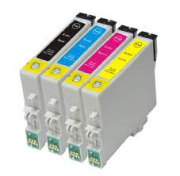
 Use this guide to identify pigment-based inkjet cartridges and determine whether your printer and ink are a good match for inkjet-printable labels. The exact ink formulation matters more than the printer brand alone.
Why pigment ink matters for labels
Pigment ink uses fine color particles that tend to remain closer to the printable surface. On compatible coated label materials, that can produce sharper text and improve resistance to smudging, moisture and fading compared with many dye inks.
Ink is only one part of durability. The label material, top coating, printer settings, drying time and real-world exposure also affect the finished result. Pigment ink does not make every paper label waterproof.
Our White PolyGloss and clear glossy inkjet label materials require pigment-based ink for the expected print adhesion and durability. Because printers and replacement inks vary, request samples and test the actual label material before placing a large order.
How to identify pigment-based cartridges
- Find the exact cartridge or ink-bottle number used by your printer.
- Open the manufacturer’s product page or technical data sheet and look for Ink type, Pigment-based or Dye-based.
- Check black and color inks separately. A printer may use pigment black and dye-based colors.
- Verify third-party or remanufactured ink independently; its formulation may differ from the original cartridge.
- When the ink type is unclear, ask the ink manufacturer and run a label sample test.
Quick guide by manufacturer
- Epson: DURABrite Ultra is a pigment-ink family. Other Epson ink families may be dye, pigment or a combination.
- Canon: PG and PGI often identify pigment black cartridges, while CLI often identifies dye colors, but confirm the exact cartridge specifications.
- HP and Brother: Ink type varies by printer, cartridge family and color. Check the exact product specifications.
- Primera and other roll printers: Use the ink and label material recommended for the specific printer model, then test for drying, adhesion and resistance.
Roll label printers: dye or pigment?
Dedicated color roll-label printers are designed to print on compatible coated roll media, and both dye and pigment systems can produce well-adhered ink when the label stock, printer settings and color profile match the machine. For these printers, the most visible initial difference is often color reproduction and surface finish rather than whether the ink stays on the label.
- Dye ink: often produces slightly richer, more vibrant color and a glossier appearance, especially on glossy label films. Primera reports that its dye and pigment output is initially very similar, with dye showing somewhat greater vibrancy on some media.
- Pigment ink: is usually chosen when longer UV life, fade resistance and outdoor durability matter more than the small difference in initial vibrancy. Pigment systems can still produce sharp, accurate color.
- Printer compatibility: some Primera LX models support interchangeable dye and pigment cartridges. Other roll printers are built for one ink system; for example, Epson lists its CW-D3800 as dye-based and its CW-C4000, C6000, C6500 and C8000 families as pigment-based. Use only the ink supported by the specific printer.
For the best clarity, use roll stock coated for the printer, select the matching media setting or ICC color profile, and test the artwork at the final print resolution. Compare fine text, barcodes, solid black, gradients and brand colors—not only water resistance.
Manufacturer references: Primera’s dye-versus-pigment comparison and Epson’s ColorWorks printer lineup.
Shop blank labels or request label samples for printer testing.
Legacy printer and cartridge reference
Important: The tables below contain older printer models and cartridge numbers. Use them as a historical starting point, not as a current compatibility guarantee. Manufacturers can change model support and ink formulations; verify the exact cartridge with the manufacturer before buying ink or labels.
Brother® inkjet printers
Brother ink formulations vary by printer and cartridge. Check the exact cartridge page or technical specifications for the words pigment-based or dye-based; do not assume every Brother cartridge uses the same ink type.
Canon® inkjet printers
Many Canon PG or PGI black cartridges use pigment ink, while many CLI color cartridges use dye ink. This is a useful clue, not a universal rule, so verify the exact cartridge and printer specifications. Canon’s printer comparison materials commonly identify pigment black and dye color separately.
| Printer Mfg | Model # | Pigment Based Cartridge # | |||
|---|---|---|---|---|---|
| Black | Color | ||||
|
Canon |
|
PIXMA Pro 100 |
|
None |
None |
|
Canon |
|
PIXMA MG2120 |
|
PG-240 |
None |
|
Canon |
|
PIXMA MG3520 |
|
PG-240 |
None |
|
Canon |
|
PIXMA MG4220 |
|
PG-240 |
None |
|
Canon |
|
PIXMA MG8220 |
|
PGI-225 |
None |
|
Canon |
|
PIXMA MP280 |
|
PG-210 |
None |
|
Canon |
|
PIXMA MP560 |
|
PG-210 |
None |
Epson® inkjet printers
Epson DURABrite Ultra is a pigment-ink family. Other Epson families can use dye, pigment or a combination, so confirm the formulation for the exact ink number instead of relying only on the family name.
| Printer Mfg | Model # | Pigment Based Cartridge # | |||
|---|---|---|---|---|---|
| Black | Color | ||||
|
Epson |
|
Expression XP-300 |
|
T200120 |
T200220, 320 & 420 |
|
Epson |
|
Expression XP-400 |
|
T200120 |
T200220, 320 & 420 |
|
Epson |
|
Expression XP-410 |
|
T200120 |
T200220, 320 & 420 |
|
Epson |
|
WorkForce 30 |
|
T068120 |
T069220, 320 & 420 |
|
Epson |
|
WorkForce 545 |
|
126/127 |
126/127 |
|
Epson |
|
WorkForce 2530 |
|
T200120 |
T200220, 320 & 420 |
|
Epson |
|
WorkForce 2540 |
|
T200120 |
T200220, 320 & 420 |
|
Epson |
|
WorkForce 3520 |
|
126/127 |
126/127 |
|
Epson |
|
WorkForce 3540 |
|
126/127 |
126/127 |
|
Epson |
|
WorkForce 4530 |
|
T676XL120 |
T676XL220, 320 & 420 |
|
Epson |
|
WorkForce 4540 |
|
T676XL120 |
T676XL220, 320 & 420 |
|
Epson |
|
WorkForce 7510 |
|
126/127 |
126/127 |
|
Epson |
|
WorkForce 7520 |
|
126/127 |
126/127 |
|
Epson |
|
WorkForce M1560 |
|
T223120 |
|
|
Epson |
|
Stylus C88+ |
|
T060120 |
T060220, 320 & 420 |
|
Epson |
|
Stylus Photo R380 |
|
77/78 |
77/78 |
|
Epson |
|
Stylus Photo R2000 |
|
T159120 or T159820 |
T159220, 320 & 420 |
|
Epson |
|
Artisan Series |
|
Verify exact cartridge |
Verify exact cartridge |
HP® inkjet printers
HP ink type varies by cartridge family and color. Some systems use pigment black with dye colors, while others use pigment inks throughout. Verify each cartridge on the official specifications page.
| Printer Mfg | Model # | Pigment Based Cartridge # | |||
|---|---|---|---|---|---|
| Black | Color | ||||
|
HP |
|
Deskjet 1000 |
|
61 |
None |
|
HP |
|
Deskjet 1010 |
|
61 |
None |
|
HP |
|
Deskjet 2540 |
|
61 |
None |
|
HP |
|
Deskjet 3510 |
|
61 |
None |
|
HP |
|
Deskjet 3520 |
|
61 |
None |
|
HP |
|
Envy 120 |
|
60 |
None |
|
HP |
|
Envy 4500 |
|
61 |
None |
|
HP |
|
Envy 5530 |
|
61 |
None |
|
HP |
|
Officejet 4620 |
|
564 |
None |
|
HP |
|
Officejet 4630 |
|
61 |
None |
|
HP |
|
Officejet 6100 |
|
932 |
933 |
|
HP |
|
Officejet 6600 |
|
932 |
933 |
|
HP |
|
Officejet 6700 |
|
932 |
933 |
|
HP |
|
Officejet 7110 |
|
932 |
933 |
|
HP |
|
Officejet 7610 |
|
932 |
933 |
|
HP |
|
Officejet Pro 251 |
|
950 |
951 |
|
HP |
|
Officejet Pro 276 |
|
950 |
951 |
|
HP |
|
Officejet Pro X451 |
|
970 |
971 |
|
HP |
|
Officejet Pro X551 |
|
970 |
971 |
|
HP |
|
Officejet Pro 8100 |
|
950 |
951 |
|
HP |
|
Officejet Pro 8600 |
|
950 |
951 |
|
HP |
|
Photosmart 5520 |
|
564 |
None |
|
HP |
|
Photosmart 6520 |
|
564 |
None |
|
HP |
|
Photosmart 7520 |
|
564 |
None |
Kodak® inkjet printers
| Printer Mfg | Model # | Pigment Based Cartridge # | |||
|---|---|---|---|---|---|
| Black | Color | ||||
|
Kodak |
|
ESP 3.2 |
|
30 |
30 |
|
Kodak |
|
ESP C315 |
|
30 |
30 |
|
Kodak |
|
EasyShare 5100 |
|
10 |
10 |
|
Kodak |
|
EasyShare 5300 |
|
10 |
10 |
|
Kodak |
|
EasyShare 5500 |
|
10 |
10 |
|
Kodak |
|
Hero 4.2 |
|
30 |
30 |
|
Kodak |
|
Hero 5.1 |
|
30 |
30 |
|
Kodak |
|
Hero 9.1 |
|
10 |
10 |
Frequently Asked Questions
What is pigment-based ink?
Pigment ink uses fine solid color particles suspended in liquid. The particles tend to remain closer to the printable surface, which can improve sharpness and resistance to smudging, moisture and fading on compatible media.
How can I tell whether an inkjet cartridge uses pigment or dye ink?
Look up the exact cartridge number on the printer manufacturer’s product page or technical data sheet and check the listed ink type. Do not rely on the printer name alone.
Are all colors in an inkjet printer pigment-based?
Not necessarily. Many printers use pigment black with dye-based color cartridges, while some business and specialty printers use pigment ink for every color. Verify black and color cartridges separately.
Is pigment ink waterproof on labels?
Pigment ink can improve water and smudge resistance, but ink alone does not make a label waterproof. Durability also depends on the label material, coating, printer settings, drying time and exposure conditions.
Should I use pigment ink for inkjet labels?
Use the ink type recommended for the specific label material. Our White PolyGloss and clear glossy inkjet materials require pigment-based ink for the expected print adhesion and durability. Always test a sample with your printer before ordering a large quantity.
Is the cartridge table a current compatibility guarantee?
No. The table is a legacy reference for older printer models and cartridge numbers. Manufacturers change formulations and model compatibility, so confirm the exact ink type with the manufacturer before purchasing ink or labels.
Can roll label printers use both dye and pigment ink?
Both ink technologies are used in dedicated roll-label printers, and some models support interchangeable dye and pigment cartridges. Other printers are designed for only one ink system. Use the ink supported by the exact printer; dye often gives slightly richer initial color, while pigment is usually favored for UV life and long-term durability.