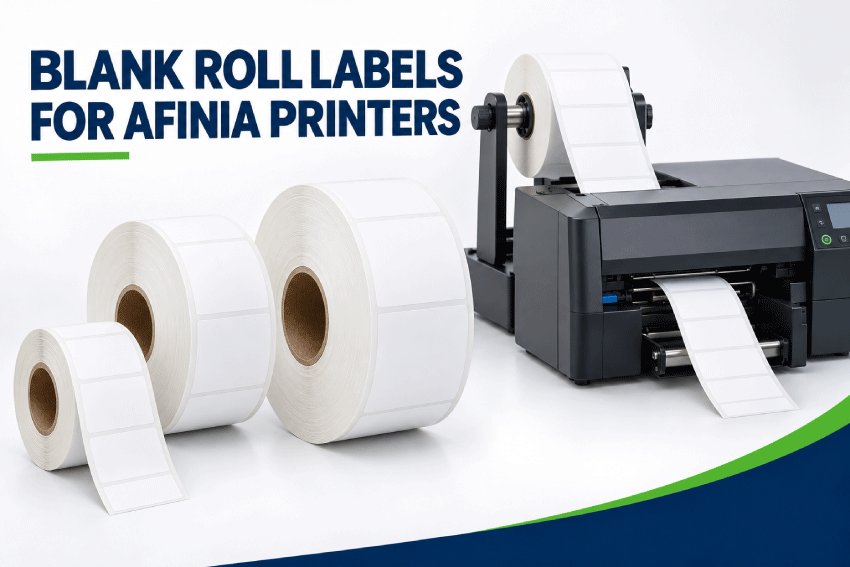
Blank Roll Labels for Afinia Label Printers
Find blank roll labels for compatible Afinia inkjet color label printers. LaserInkjetLabels.com offers die-cut and continuous label sizes in coated paper and moisture-resistant BOPP materials for product packaging, food and beverages, cosmetics, inventory, barcodes and other on-demand color-label applications.
The right roll depends on the exact Afinia printer model. Before ordering, match the label width, full liner width, core diameter, maximum outside roll diameter, sensing method, roll orientation and ink-compatible material to your printer.
Important: Always compare the roll specifications with the current manual for your exact printer and equipment configuration. Afinia names are used for identification only. LaserInkjetLabels.com is not affiliated with or endorsed by Afinia Label.

Browse All Blank Inkjet Roll Labels
Quick Answer: Which Roll Labels Work With Afinia Printers?
Afinia’s roll-fed inkjet printers do not all use the same roll diameter. The current L502, L701, L801 and L901 families use 3-inch cores, but their maximum outside roll diameters range from 6 to 10 inches. A roll is a potential match only when every required measurement and media feature agrees with the printer.
- Finished label width: It fits within the printer’s supported print width.
- Label length: It feeds in the correct direction and falls within the supported length range.
- Full liner width: The entire web, including side margins, fits the media path.
- Core and outside diameter: Both match the printer’s unwinder or internal roll holder.
- Sensing: The printer is configured for gap, black-mark or continuous media.
- Material: The coating accepts the installed dye or pigment ink and suits the end use.
- Roll direction: The labels unwind in the direction required by the printer and finishing setup.
If you are uncertain, send us the complete printer model and desired finished label size before ordering.
Afinia Printer Compatibility at a Glance
| Afinia Model | Official Media / Print Width | Core and Maximum Roll Diameter | LaserInkjetLabels.com Starting Configuration |
|---|---|---|---|
| L502 | 1.5"–8.65" liner; 1"–8.5" print width | 3" core; 8" maximum OD | Double-Capacity Roll. Confirm label size, liner width, gap and dye- or pigment-ink coating. |
| L701 | 2"–8.5" media; up to 8.5" print width | 3" core; 6" maximum OD | Standard Roll. An 8" or 10" roll is too large for the stated 6" unwinder capacity. |
| L801 / L801 Plus | 2"–8.5" media; up to 8.5" print width | 3" core; 8" maximum OD | Double-Capacity Roll. Standard 6" rolls also fit but require more frequent changes. |
| L901 / L901 Plus | 2"–9" media; up to 8.5" print width | 3" core; up to 10" OD with the specified roll-handling system | Triple-Capacity Roll when the installed unwinder supports 10" rolls. Confirm the complete production configuration. |
Legacy Afinia printers: L301, L501 and other discontinued models remain in use. Their specifications should not be inferred from a current printer with a similar name. Check the archived manual for the exact core, outside diameter, width and sensing requirements.
What About the F502, LT5C and X350?
- F502: This is the fanfold version of the L502. It uses fanfold media rather than the roll configurations sold on this page.
- LT5C: This is a CMYK-plus-white toner printer, not an inkjet printer. Do not assume that an inkjet-coated roll is suitable merely because it fits physically.
- X350: This is a production roll-to-roll press. Match media to the complete press and finishing system rather than choosing only by the Afinia brand.
For a broader comparison of Afinia, Epson, Primera and other roll-fed printers, use the Inkjet Roll Label Printer Compatibility Guide.
How to Order the Right Afinia Roll Labels
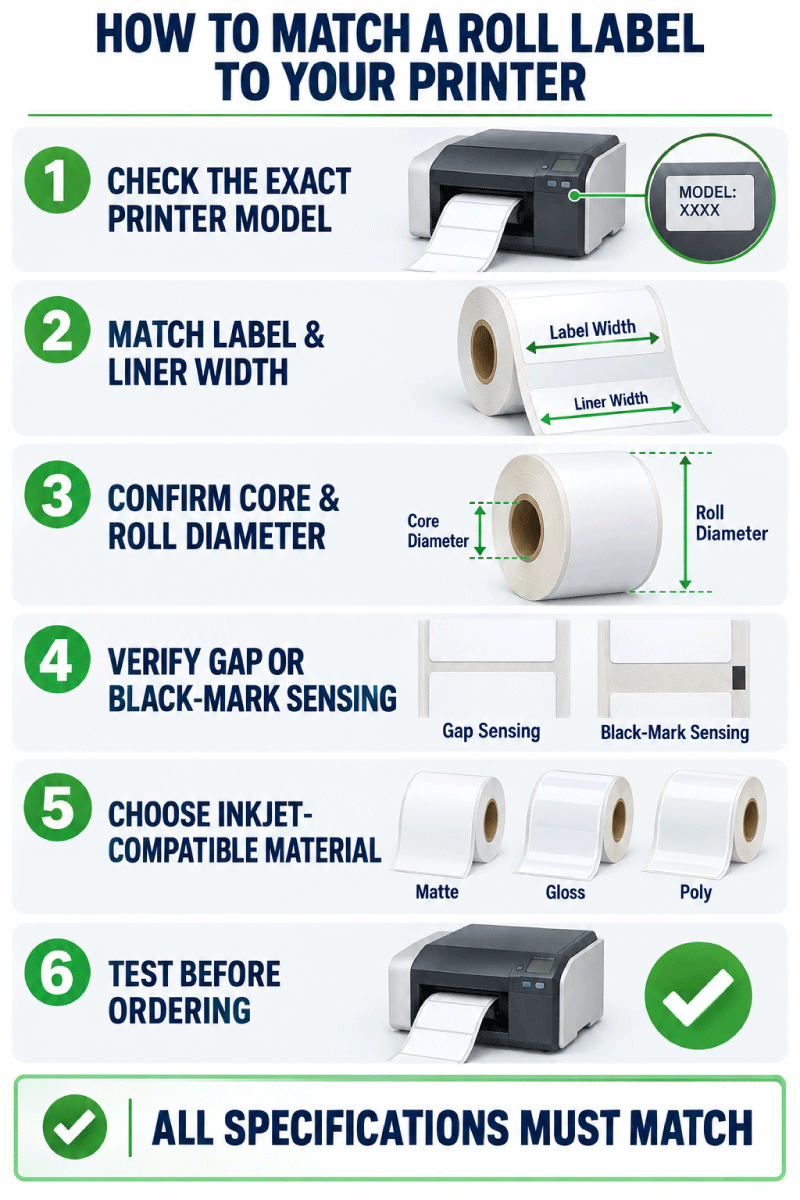
- Record the complete printer model. Include Plus or other version information.
- Choose the finished label size. Measure the application surface and leave clearance from curves, seams and edges.
- Confirm roll orientation. The first dimension is across the roll; the second dimension feeds into the printer.
- Check the full liner width. The web is normally wider than the finished die-cut label.
- Match the core and outside diameter. A 6", 8" or 10" roll capacity changes by printer model.
- Select the sensing method. Gap sensing is common for opaque die-cut labels; black marks are used when required by the material or setup.
- Choose an ink-compatible material. Match the coating to dye or pigment ink and the material to the product environment.
- Test before production. Verify feeding, sensing, print position, drying, durability and adhesion on the actual package.
Width Across the Roll and Length Into the Roll
LaserInkjetLabels.com lists roll-label dimensions as width across the roll × length into the roll. A 2.25" × 4" label is 2.25 inches wide across the web and advances 4 inches through the printer for each label.
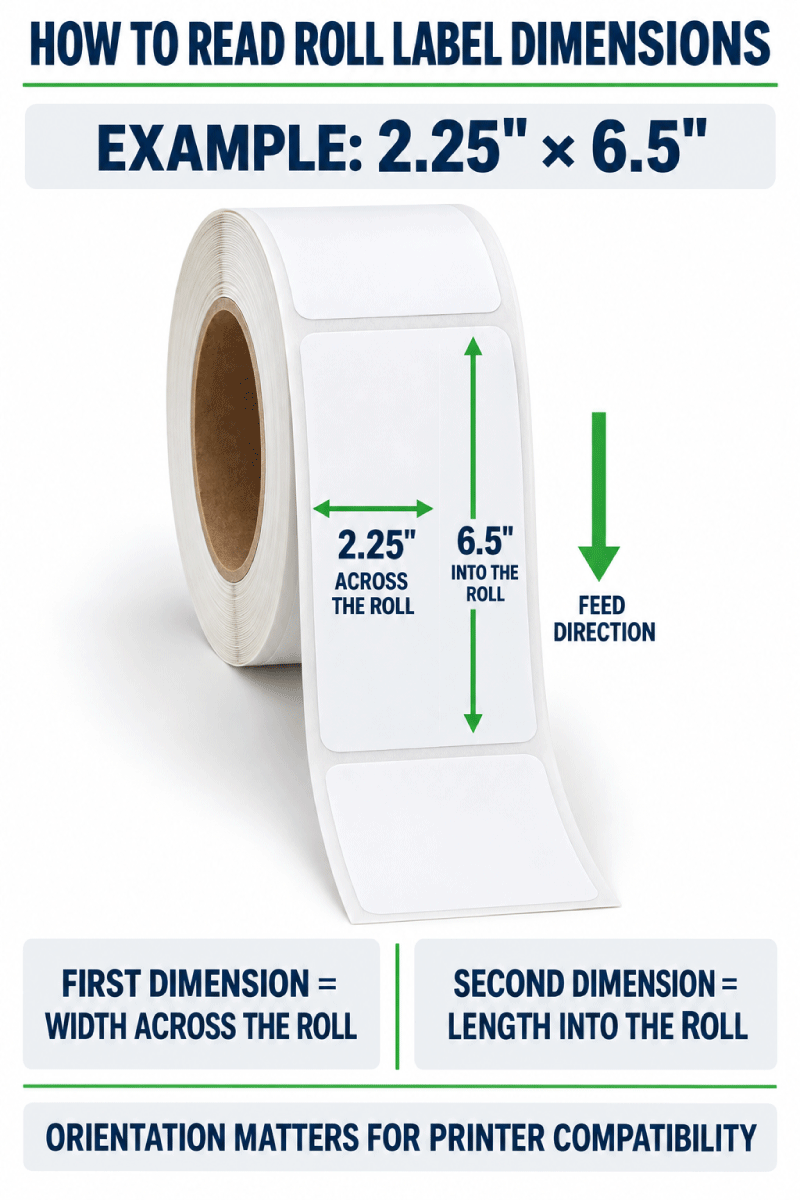
The printer must accept the complete liner width, not only the finished label. Keep barcodes, text and logos inside the safe print area and verify the design software’s page orientation before printing.
Choose the Correct Core and Outside Roll Diameter
The core diameter is measured across the tube at the center of the roll. The outside diameter is measured across the widest part of the complete roll.
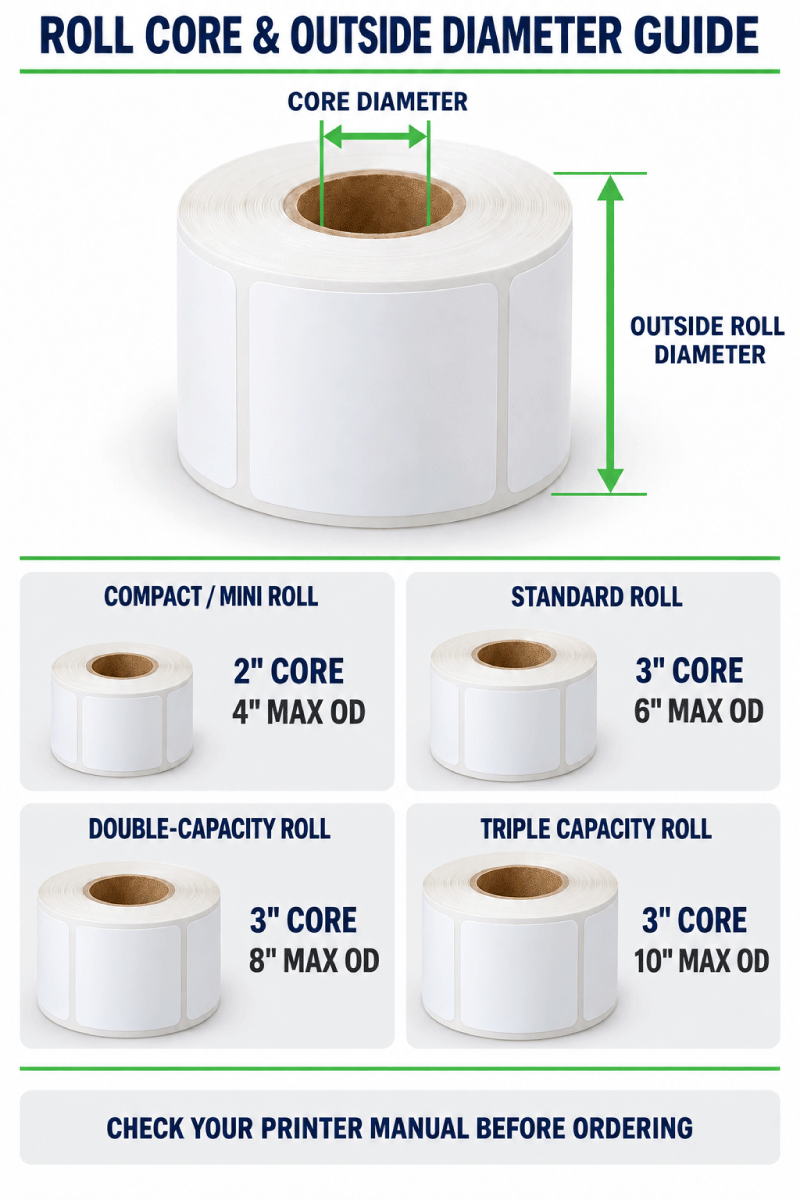
| LaserInkjetLabels.com Configuration | Core | Maximum Outside Diameter | Afinia Use |
|---|---|---|---|
| Mini Roll | 2" | 4" | Selected compact or legacy printers only. It does not match current Afinia models that require a 3" core. |
| Standard Roll | 3" | 6" | Matches the stated L701 capacity and also fits within the larger diameter limits of selected current models. |
| Double-Capacity Roll | 3" | 8" | Matches the stated roll capacity for the L502 and L801/L801 Plus. It is too large for the L701’s 6" unwinder. |
| Triple-Capacity Roll | 3" | 10" | Potential match for an L901/L901 Plus configured with the appropriate high-capacity roll-handling system. |
Choose the largest compatible configuration only when it benefits the workflow. Larger rolls reduce roll changes, but they also require the correct clearance, tension and unwinding equipment.
Shop Standard Rolls | Shop Double-Capacity Rolls
Gap, Black-Mark and Continuous Media
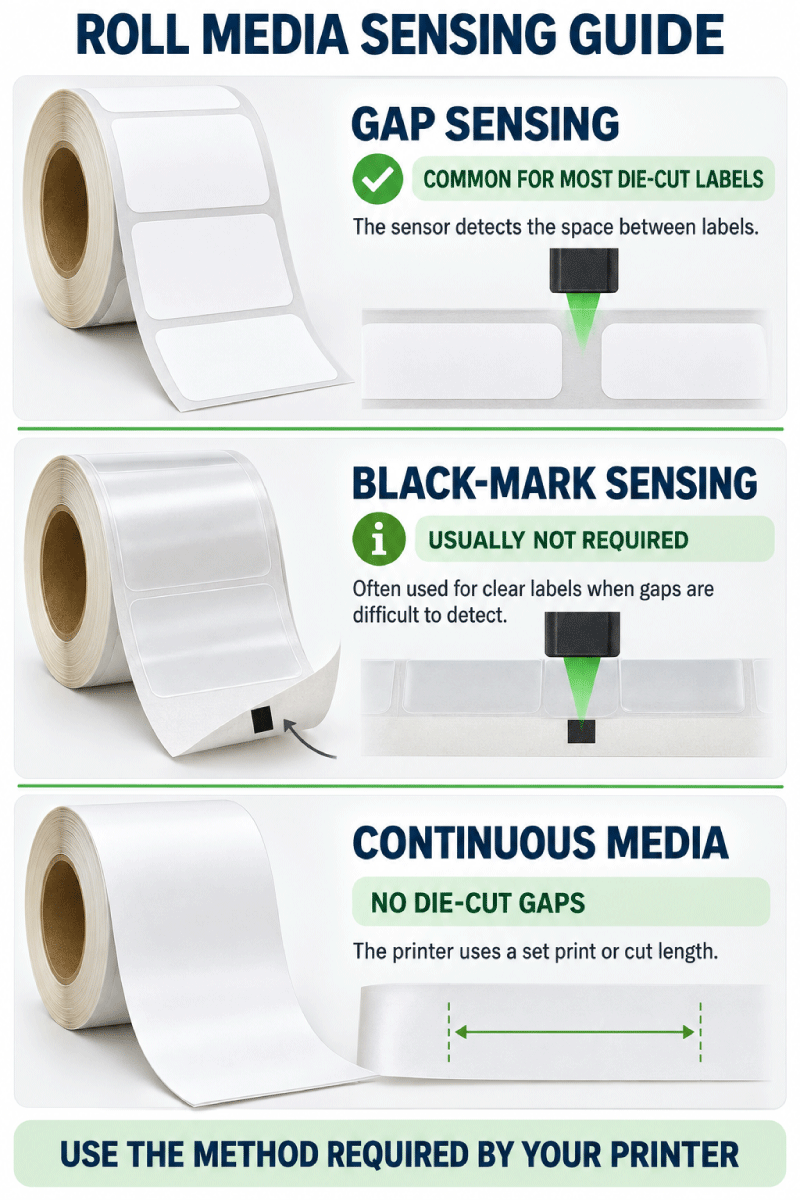
| Media Type | Best Use | Afinia Setup Check |
|---|---|---|
| Die-cut labels with a gap | Most opaque paper and white BOPP labels | Select gap sensing and calibrate the loaded media. |
| Black-mark media | Materials whose gaps cannot be detected consistently, often including clear constructions | Match the exact mark position and dimensions specified for the printer. |
| Continuous media | Variable-length work and roll-to-roll finishing | Confirm that the printer, cutter or downstream finisher supports the chosen continuous material. |
A black bar is not necessary for most ordinary opaque die-cut labels. Gap sensing is generally the simpler choice. Black-mark sensing may be necessary for clear products or another construction the gap sensor cannot detect reliably.
Learn About Continuous Inkjet Roll Labels
Ink Type Matters: Dye, Pigment and Watershield
Afinia printers use different ink systems. The L502 can be configured with interchangeable dye or pigment ink. The L701 and standard L801/L901 models use dye ink, while Plus versions use Watershield dye ink for increased moisture resistance. The label coating must be compatible with the installed ink.
- Dye ink: Often produces bright, vibrant color on a compatible coated material. Test moisture and abrasion resistance.
- Pigment ink: Often selected when additional durability is required. Certification or chemical-label compliance depends on the complete tested ink-and-media combination.
- Watershield ink: Provides increased water and moisture resistance, but Afinia notes that performance remains media-dependent.
Do not claim that a label is BS5609 compliant simply because it is printed on an L502. Compliance applies only to the exact certified ink, media and printing combination.
Paper and BOPP Materials for Afinia Inkjet Printers
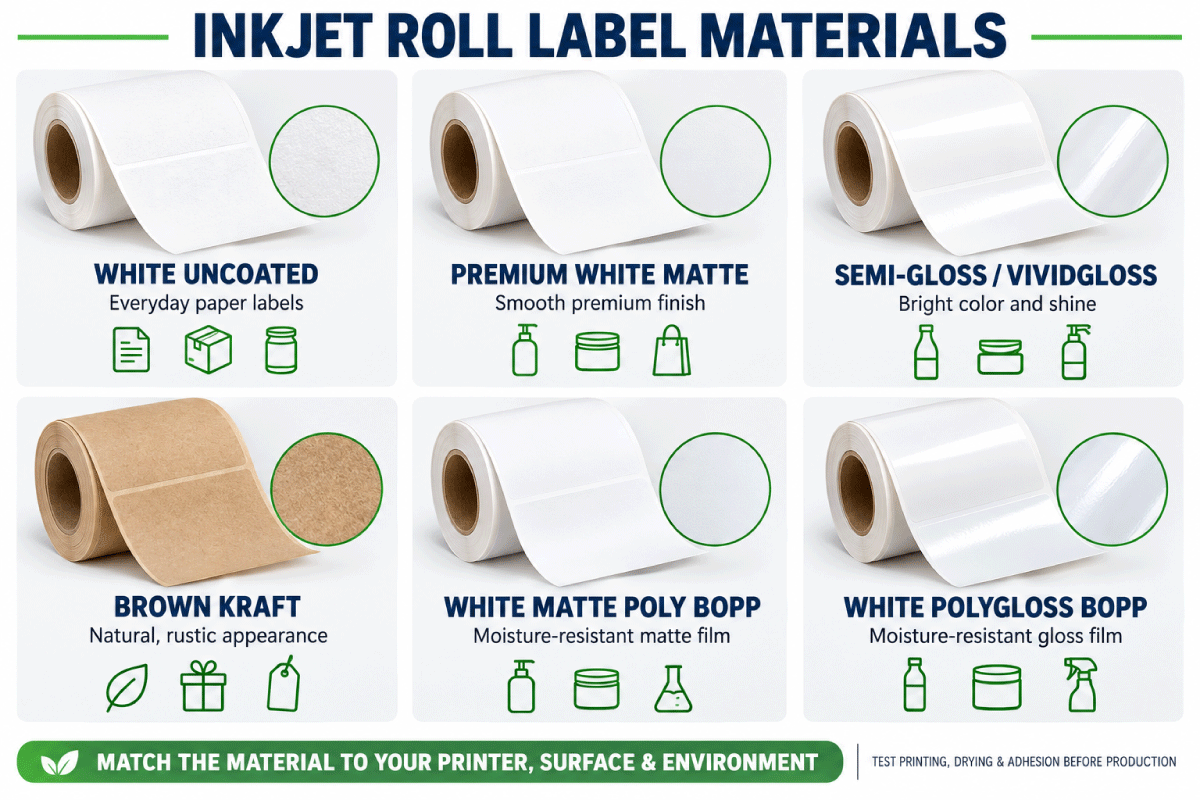
| Material | Appearance | Common Uses | Important Test |
|---|---|---|---|
| White Uncoated | Everyday matte paper | Inventory, barcodes, cartons and general identification | Ink density and moisture exposure |
| Premium White Matte | Smooth premium matte paper | Detailed branding, cosmetics, food and retail goods | Color, drying and scuff resistance |
| White Semi-Gloss | Balanced sheen | Bottles, jars and product packaging | Ink compatibility and dry time |
| White High Gloss / ViVidGloss | Bright glossy finish | High-impact graphics and premium packaging | Drying, handling and abrasion |
| Brown Kraft | Natural brown paper | Handmade, organic and rustic branding | Color shift caused by the brown background |
| White Matte Poly BOPP | Durable matte film | Refrigerated, damp and frequently handled products | Ink adhesion, condensation, oil and adhesive bond |
| White PolyGloss BOPP | Durable glossy film | Beverages, cosmetics and premium retail products | Drying, abrasion and moisture exposure |
| Clear BOPP | Transparent film | No-label-look packaging | Sensor detection and color transparency because these inkjet models do not print opaque white |
BOPP provides better moisture resistance than paper, but moisture-resistant does not mean waterproof in every application. Test the complete printed label with the actual ink, container, temperature, condensation, oils and handling conditions.
Compare Inkjet Roll Label Materials
Troubleshooting Afinia Roll Labels
The printer does not detect each label
Confirm gap, black-mark or continuous mode and recalibrate the loaded media. Check the sensor position and the exact gap or black-mark specifications in the manual. Clear materials may require a different sensing construction.
The roll will not fit the unwinder
Recheck both the 3-inch core and maximum outside diameter. The L701 is limited to a smaller roll than the L502 or L801, while the L901 requires the appropriate roll-handling system for high-capacity rolls.
The label feeds but the print is shifted
Verify the page size, width-across-roll orientation, liner width, gap measurement and sensor position. Print a short test run before changing artwork.
The ink smears or scratches
Confirm that the material coating matches the installed ink system. Allow adequate drying and test moisture, abrasion and oils under real application conditions.
Clear labels print with weak-looking colors
The L502, L701, L801 and L901 inkjet models do not lay down opaque white ink beneath the colors. Printed colors can appear translucent on clear stock, and the sensor may need a black-mark-compatible construction.
Shop Blank Roll Labels for Afinia Printers
Start with the exact Afinia model, then narrow the catalog by finished size, liner width, core, roll diameter and material. Test samples or a small quantity before placing a production order.
- All Blank Inkjet Roll Labels
- Blank Roll Label Buying Guide
- Inkjet Roll Label Materials
- Continuous Inkjet Roll Labels
- Printer Compatibility Guide
- Labels for Epson ColorWorks Printers
- Labels for Primera LX Printers
- Ask Us to Check Your Printer and Label Size
Frequently Asked Questions
What roll labels fit the Afinia L502?
The L502 requires a 3-inch core and supports rolls up to 8 inches in outside diameter, so Double-Capacity Rolls are the normal starting configuration. The label size, full liner width, sensing method and material coating must also match.
What roll labels fit the Afinia L701?
The L701 requires a 3-inch core and supports rolls up to 6 inches in outside diameter, matching the Standard Roll configuration. Do not order an 8-inch Double-Capacity Roll for its standard unwinder.
What roll labels fit the Afinia L801?
The L801 and L801 Plus require a 3-inch core and accept rolls up to 8 inches in outside diameter. Double-Capacity Rolls provide the greatest compatible capacity, while 6-inch Standard Rolls also fit.
What roll labels fit the Afinia L901?
The L901 and L901 Plus use a 3-inch core and can support high-capacity rolls with the appropriate roll-handling system. A 10-inch Triple-Capacity Roll is a potential match when the installed unwinder is rated for it.
Do all Afinia printers use the same roll labels?
No. Current models have different roll-diameter, media-width, ink and workflow requirements. Fanfold, toner and production-press models also should not be treated as ordinary roll-fed inkjet printers.
Do Afinia labels require black marks?
Not in most cases. Opaque die-cut labels commonly use gap sensing. Black marks may be necessary for clear materials or another construction the transmissive sensor cannot detect reliably.
Can I use inkjet roll labels in the Afinia LT5C?
Do not assume so. The LT5C is a toner printer, and media must meet its toner, fuser, width, thickness and roll requirements. An inkjet coating alone does not establish compatibility.
Are BOPP labels waterproof?
BOPP is more moisture-resistant than paper, but finished performance depends on the coating, ink, adhesive, container and exposure conditions. Test the complete printed application rather than making a universal waterproof claim.
Which dimension goes across the roll?
The first dimension goes across the roll. For a 2.25-inch by 4-inch label, 2.25 inches is across the web and 4 inches feeds through the printer.
Should I test Afinia labels before ordering a full run?
Yes. Test feeding, sensing, registration, drying, abrasion resistance and adhesion on the actual product before ordering production quantities.