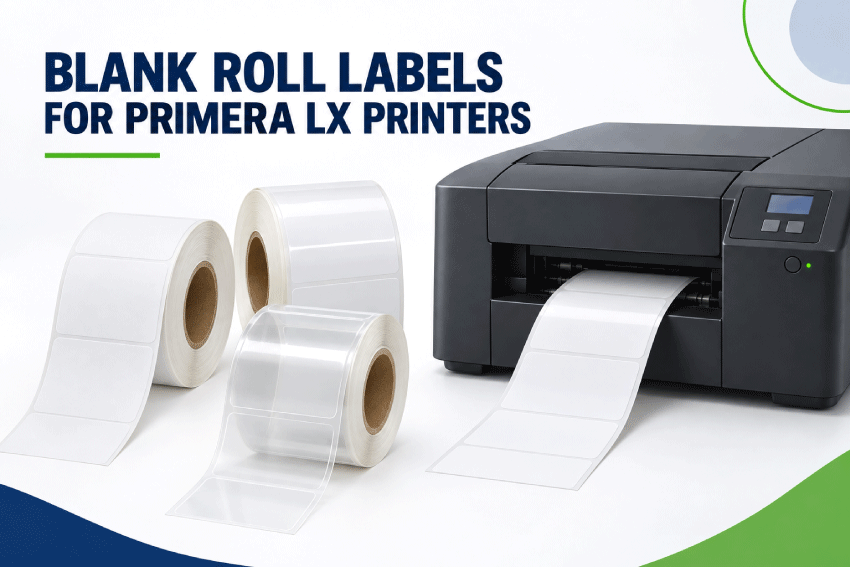
Blank Roll Labels for Primera LX Printers
Find blank inkjet roll labels for compatible Primera LX color label printers. LaserInkjetLabels.com offers common die-cut sizes in paper and moisture-resistant BOPP materials for product labels, food packaging, bottles, jars, inventory, barcodes and other on-demand color-label applications.
The right roll depends on the exact Primera model, not simply the Primera name. Before ordering, match the label width, liner width, core diameter, maximum outside roll diameter, sensing method, roll orientation and inkjet-compatible material to the printer.
Important: Always verify specifications in the current manual for your exact printer and configuration. Primera and LX names are used for identification only. LaserInkjetLabels.com is not affiliated with or endorsed by Primera Technology, Inc.

Browse All Blank Inkjet Roll Labels
Quick Answer: Which Labels Work With Primera LX Printers?
Most Primera LX printers use coated inkjet roll labels, but their roll capacities differ. A label roll is a potential match only when all of these specifications agree:
- Finished label width: The first dimension fits across the roll and within the printer’s supported print width.
- Label length: The second dimension feeds into the printer and falls within its supported length range.
- Liner width: The complete web, including margins beside the label, fits the media path.
- Core and roll diameter: The roll fits the internal holder or a compatible external unwinder.
- Sensing: The printer is configured for gap, black-mark or continuous media.
- Material: The coating accepts the printer’s ink and suits the product environment.
- Special configuration: The LX610 digital die-cut workflow has different media requirements from ordinary pre-die-cut labels.
If you are uncertain, send us the complete model number and desired finished label size before ordering.
Primera LX Printer Compatibility at a Glance
Primera’s current desktop lineup ranges from the compact LX500 through the wider LX910 and LX4000. The table below provides a starting point; the current printer manual remains the final authority.
| Primera Model | Official Maximum Print Width | Common Internal Roll Capacity | Label-Ordering Notes |
|---|---|---|---|
| LX500 | 4.25" | 2" core, up to 5" outside diameter | LaserInkjetLabels.com Mini Rolls use a 2" core and 4" maximum outside diameter, so they fit within the stated roll-diameter limit. Verify label and liner widths. |
| LX600 | 5" | 3" core, up to 6" outside diameter | Standard Rolls are the normal starting configuration. Confirm finished label size, liner width and sensing. |
| LX610 | 4.1" when digitally die-cutting; 5" with pre-die-cut media | 3" core, up to 6" outside diameter | Use compatible pre-die-cut labels for ordinary printing. Primera states that digital die-cutting requires its smart-chipped continuous stock. |
| LX910 | 8.25" | 3" core, up to 6" outside diameter | Accepts wider labels than compact models. Confirm the total liner width does not exceed the media path. |
| LX4000 | 8.25" | 3" core, up to 6" outside diameter | Available in dye- and pigment-ink versions. Match the label coating and end-use conditions to the installed ink configuration. |
Legacy Primera printers: LX400, LX800, LX810, LX900, LX1000, LX2000 and LX3000 printers remain in service. Because specifications vary, locate the archived manual and confirm the exact media width, core, outside diameter and sensing requirements before ordering.
For a broader comparison of Primera, Epson, Afinia and other roll-fed printers, use the Inkjet Roll Label Printer Compatibility Guide.
How to Order the Right Primera Roll Labels
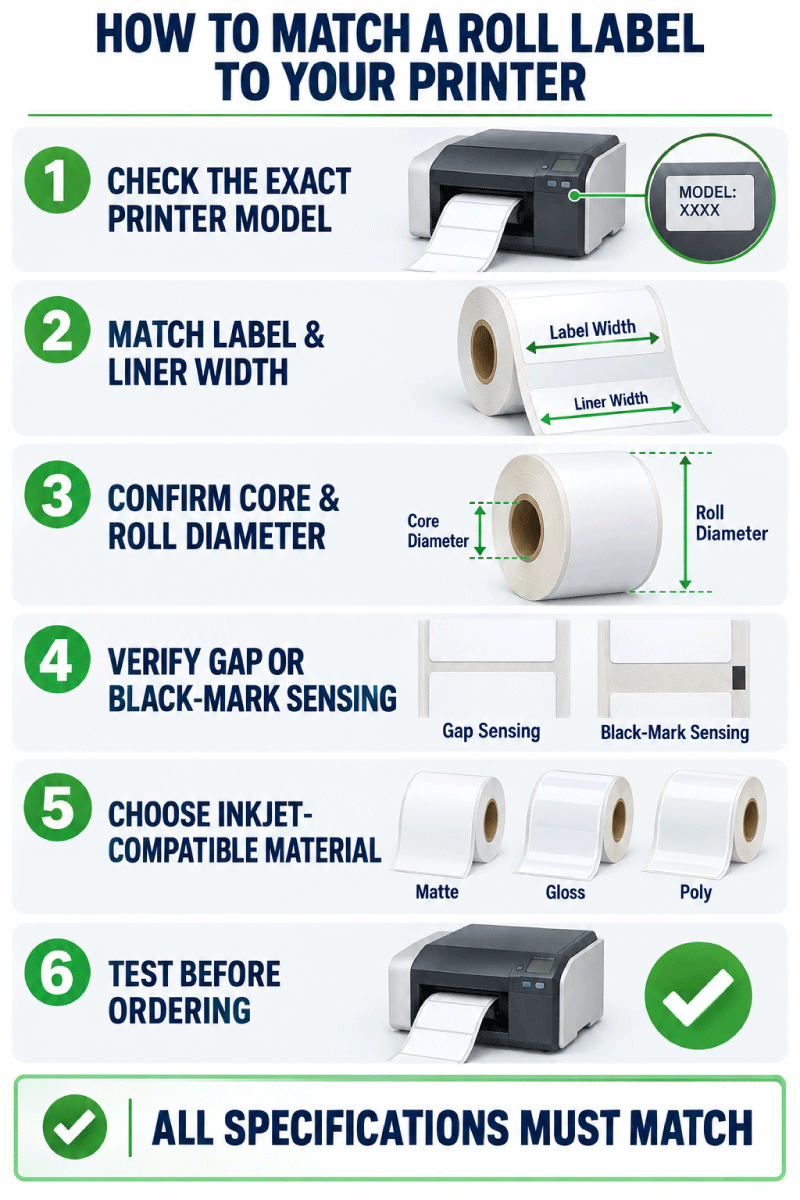
- Record the complete printer model. Do not select media by brand alone.
- Choose the finished label size. Measure the application surface and leave clearance from curves, seams and package edges.
- Confirm roll orientation. The first dimension is across the roll; the second dimension feeds into the printer.
- Check the liner width. The liner is normally slightly wider than the finished die-cut label.
- Match the core and outside diameter. Both measurements must fit the internal holder or approved external feeding setup.
- Select the sensing method. Gap sensing is common for opaque die-cut labels; black marks are used only when the material or setup requires them.
- Choose an inkjet-compatible material. Match the coating to the printer ink and the material to the application environment.
- Test before production. Verify feeding, sensing, print position, drying, scuff resistance and adhesion on the actual package.
Width Across the Roll and Length Into the Roll
LaserInkjetLabels.com lists roll-label dimensions as width across the roll × length into the roll. A 2.25" × 4" label is 2.25 inches wide across the web and advances 4 inches through the printer for each label.
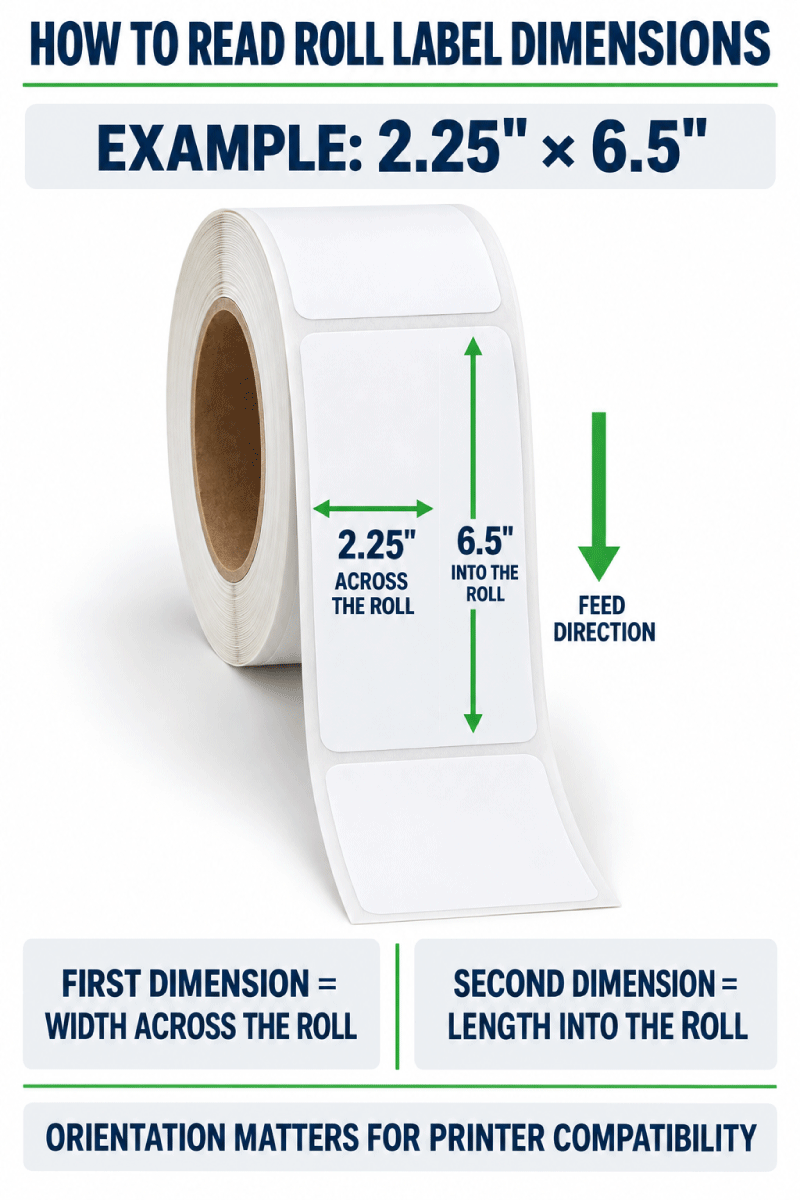
The printer must accommodate the complete liner width, not only the finished label. Keep barcodes, text and logos inside the safe print area, especially when printing near die-cut edges.
Choose the Correct Core and Outside Roll Diameter
The core diameter is the diameter of the tube at the center of the roll. The outside roll diameter is measured across the widest part of the complete roll. Both must match the printer or external unwinder.
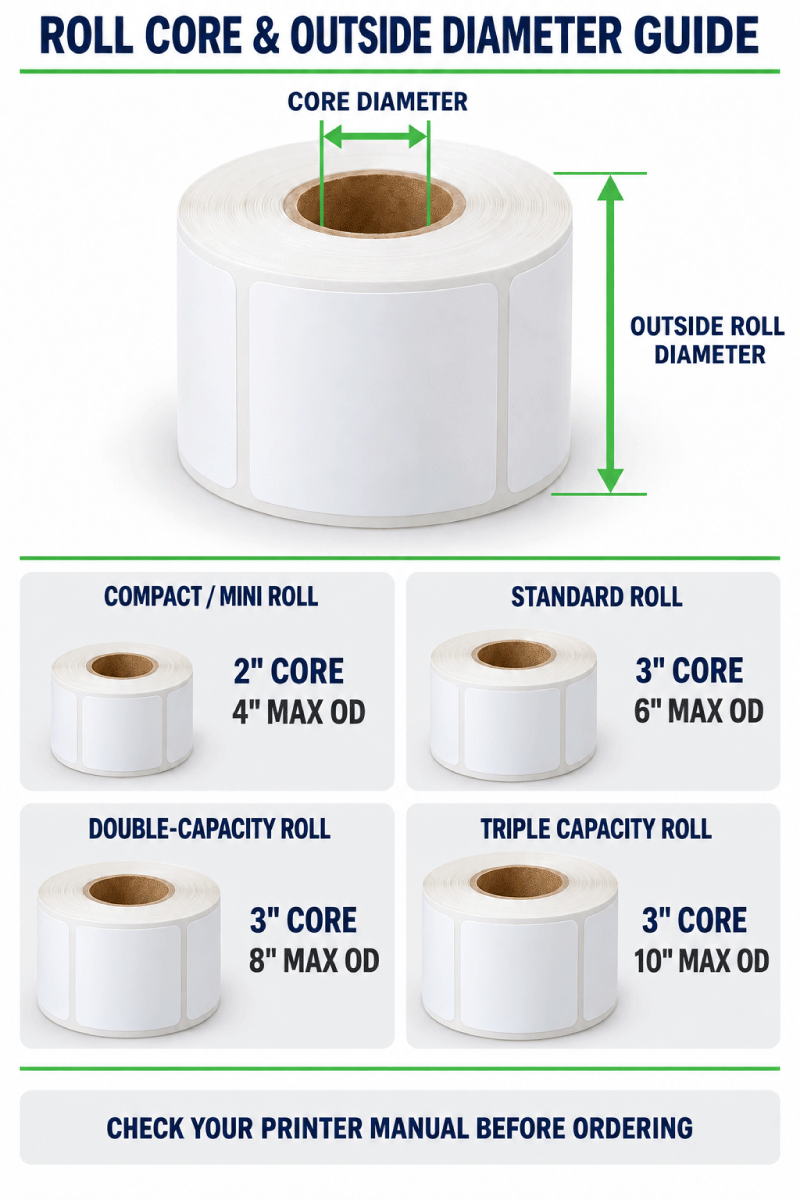
| LaserInkjetLabels.com Configuration | Core | Maximum Outside Diameter | Primera Use |
|---|---|---|---|
| Mini Roll | 2" | 4" | Common starting point for the LX500 and selected compact legacy printers. The LX500 officially allows up to a 5" roll, so the 4" Mini Roll fits within that limit. |
| Standard Roll | 3" | 6" | Matches the common internal roll format stated for the LX600, LX610, LX910 and LX4000. Verify all remaining dimensions. |
| Double-Capacity Roll | 3" | 8" | Requires a compatible external unwinder or other approved setup; it does not fit the standard 6" internal roll compartment. |
| Triple-Capacity Roll | 3" | 10" | Requires equipment designed for a 10" roll or a compatible external unwinder. Do not assume direct compatibility with an LX printer. |
Available configurations vary by label size and material. A higher-capacity roll reduces roll changes only when the feeding system can support it reliably.
Shop Mini Rolls | Shop Standard Rolls | Shop Double-Capacity Rolls
Gap, Black-Mark and Continuous Media
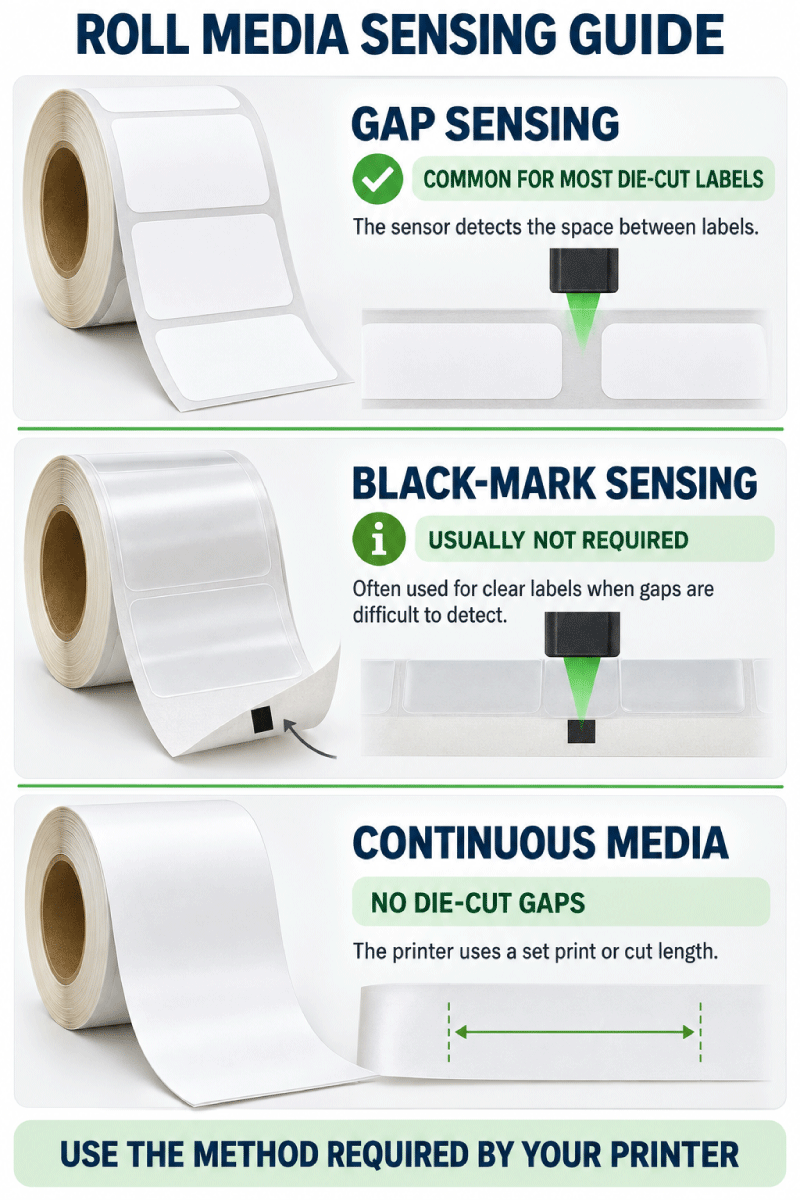
| Media Type | Best Use | Primera Setup Check |
|---|---|---|
| Die-cut labels with a gap | Most opaque paper and white BOPP product labels | Select gap or transmissive sensing and calibrate the loaded media. |
| Black-mark media | Media whose gaps cannot be detected reliably, often including clear constructions | Confirm the required mark location, size and sensor position before ordering. |
| Continuous media | Variable-length jobs and supported cutter workflows | Confirm that the exact printer, cutter and media construction support the desired workflow. |
A black bar is not necessary for most opaque die-cut labels. Gap sensing is normally the simpler option. Black-mark sensing may be necessary for clear products or other constructions that the transmissive sensor cannot detect consistently.
Learn About Continuous Inkjet Roll Labels
Special Note for the Primera LX610 Printer-Cutter
The LX610 can print ordinary pre-die-cut labels, but its digital die-cut mode is a separate workflow. Primera states that digital die-cutting requires Primera smart-chipped continuous stock. Do not order an unchipped continuous roll from LaserInkjetLabels.com expecting the LX610 to digitally cut it.
- For pre-die-cut labels, match the size, liner, 3" core, 6" outside diameter, sensing and coating to the LX610 specifications.
- For digital die-cutting, use the smart-chipped media specified by Primera.
- Remember that Primera lists a narrower maximum width for digital die-cutting than for pre-die-cut media.
Paper and BOPP Materials for Primera LX Labels
Choose the material for both the printer and the end use. The coating must accept the installed dye or pigment ink, while the face stock and adhesive must withstand the package surface, moisture, oil, refrigeration and handling conditions.
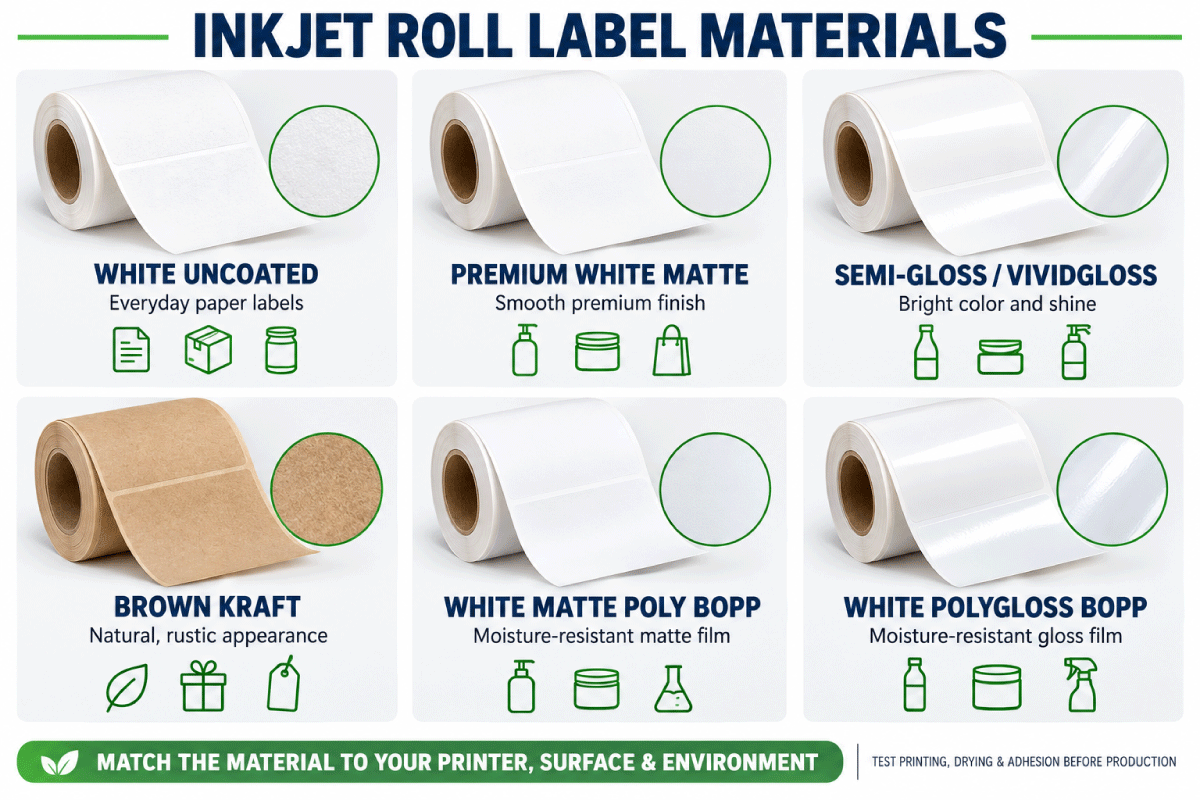
| Material | Appearance | Common Uses | Test Before Production |
|---|---|---|---|
| White Uncoated | Everyday matte paper | Inventory, barcodes, cartons and general labels | Print quality and moisture exposure |
| Premium White Matte | Smooth premium matte paper | Detailed branding, cosmetics, food and candles | Ink setting, drying and color appearance |
| White Semi-Gloss | Balanced sheen | Bottles, jars and retail packaging | Dry time, scuffing and label sensing |
| White High Gloss / ViVidGloss | Bright glossy finish | High-impact graphics and premium packaging | Ink compatibility, dry time and handling |
| Brown Kraft | Natural brown paper | Handmade, organic and rustic branding | Color shift caused by the brown background |
| White Matte Poly BOPP | Durable matte film | Refrigerated, damp and frequently handled products | Ink adhesion, moisture, oil and package adhesion |
| White PolyGloss BOPP | Durable glossy film | Beverages, cosmetics and premium retail products | Drying, abrasion and condensation |
| Clear BOPP | Transparent film | No-label-look packaging | Sensor detection, opacity of printed colors and black-mark requirements |
BOPP materials can provide better moisture resistance than paper, but moisture-resistant does not mean waterproof in every application. Test the printed label with the actual ink, container, temperature, condensation, oils and handling conditions.
Compare Inkjet Roll Label Materials
Choose Labels for the Job, Not Only the Printer
| Application | Good Starting Material | What to Test |
|---|---|---|
| Inventory and barcode labels | White Uncoated or Premium White Matte | Scanner readability, quiet zones and abrasion |
| Food jars and dry packaging | Premium White Matte or Semi-Gloss | Surface adhesion, oil exposure and storage temperature |
| Cold bottles and refrigerated products | White Matte Poly BOPP or White PolyGloss BOPP | Condensation, moisture, ink durability and adhesive bond |
| Cosmetics and bath products | BOPP or a compatible premium paper | Oil, water, curved surfaces and repeated handling |
| Clear-container branding | Clear BOPP | Sensor reliability, white ink limitations and color transparency |
Troubleshooting Primera Roll Label Problems
The printer does not detect each label
Confirm that the printer is set to the correct gap, black-mark or continuous-media mode. Recalibrate after loading a new roll. Clear materials may require a black-mark construction or another setup specified by Primera.
The roll does not fit inside the printer
Recheck both the core diameter and complete outside roll diameter. An 8" or 10" roll cannot fit a compartment designed for a 6" roll; a compatible external unwinder would be required.
The label feeds but the print is shifted
Verify the page size, width-across-roll orientation, gap setting, liner width and sensor location. Print a short test run before changing artwork.
The ink smears or scratches
Confirm that the material is coated for inkjet printing and suitable for the printer’s ink type. Allow proper drying time and test abrasion, moisture and oil resistance.
The LX610 will not digitally cut the media
Digital die-cutting requires the smart-chipped continuous stock specified by Primera. Ordinary compatible pre-die-cut labels can be printed, but unchipped continuous rolls should not be expected to work in the digital die-cut workflow.
Shop Blank Roll Labels for Primera Printers
Start with your complete Primera model number, then narrow the catalog by label size, core, roll diameter and material. Ordering samples or a small quantity before a production run reduces compatibility risk.
- All Blank Inkjet Roll Labels
- Blank Roll Label Buying Guide
- Inkjet Roll Label Materials
- Continuous Inkjet Roll Labels
- Printer Compatibility Guide
- Labels for Epson ColorWorks Printers
- Labels for Afinia Printers
- Ask Us to Check Your Printer and Label Size
Frequently Asked Questions
What roll labels fit a Primera LX500?
Primera lists the LX500 for rolls with a 2-inch core and up to a 5-inch outside diameter. LaserInkjetLabels.com Mini Rolls use a 2-inch core and a 4-inch maximum outside diameter, which is within that limit. The label width, liner width, length, sensing and material must also match.
What roll labels fit the Primera LX600?
The LX600 commonly uses a 3-inch core and up to a 6-inch outside diameter, making the LaserInkjetLabels.com Standard Roll configuration the normal starting point. Confirm that the finished label and liner fit the printer’s width limits.
Can I use ordinary blank labels in the Primera LX610?
Compatible pre-die-cut blank labels can be used for printing. For the LX610’s digital die-cut mode, Primera states that smart-chipped continuous stock is required.
Do Primera LX printers use 2-inch or 3-inch cores?
It depends on the model. The current LX500 uses a 2-inch core, while the LX600, LX610, LX910 and LX4000 use a 3-inch core. Check legacy-model manuals separately.
Can I use an 8-inch or 10-inch roll with a Primera LX printer?
Not in a standard internal compartment rated for a 6-inch roll. Double- and Triple-Capacity Rolls require a compatible external unwinder or other equipment designed for the larger diameter.
Do Primera labels require a black mark?
Not in most cases. Opaque die-cut labels commonly use gap sensing. A black mark may be necessary for clear materials or another construction that the printer cannot detect reliably with its transmissive sensor.
Which dimension goes across the roll?
The first dimension goes across the roll. In a 2.25-inch by 4-inch label, 2.25 inches is across the web and 4 inches feeds into the printer.
Are BOPP labels waterproof?
BOPP is more moisture-resistant than ordinary paper, but the finished printed label should not be described as universally waterproof. Performance depends on the ink, coating, adhesive, container and exposure conditions, so test the complete application.
Will labels for one Primera model work in every LX printer?
No. Primera LX printers have different print widths, liner limits, core sizes, roll diameters and special features. Match the exact model before ordering.
Should I test Primera labels before ordering a full run?
Yes. Test feeding, sensor detection, print registration, drying, abrasion resistance and adhesion on the actual container before committing to production quantities.