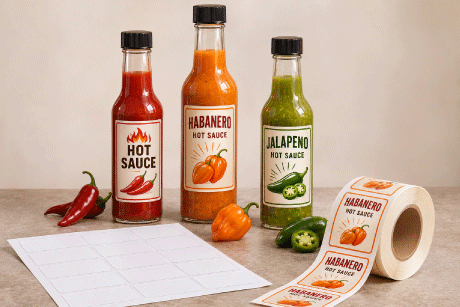
Woozy bottle labels give hot sauce, pepper sauce and other bottled condiments a clear place for branding and product information. Woozy describes the bottle style, while hot sauce describes a common use. The familiar narrow neck and rounded shoulders leave a limited straight-sided panel for your design. A label that fits that panel can sit more smoothly and keep text easy to read, whether you choose a front label, separate front and back labels, or a wider label that extends around the bottle.
At LaserInkjetLabels.com, blank sheet labels and blank inkjet roll labels are two ways to print your own woozy bottle labels. Use compatible sheets in a desktop inkjet or laser printer, or choose rolls for a compatible inkjet label printer. Compare both formats beside each label size below, then select the material and printer configuration that suit your production. Custom printed rolls are also available when you want labels supplied ready to apply.
Start with your actual bottle measurements rather than capacity alone. Check the usable height and circumference, test a paper cutout, and choose a material and adhesive for the bottle surface, printing method and storage conditions. Matching templates and samples help you check the design before ordering a larger quantity.
Using a different hot sauce bottle shape? Browse hot sauce bottle labels on sheets and inkjet rolls. For sample, squeeze and larger bottles, use our Hot Sauce Bottle Label Size Guide to compare sizes and measuring methods.
Shop Blank Woozy Bottle Labels in Sheets or Inkjet Rolls
Blank Sheet Labels

Print in-house with a compatible desktop inkjet or laser printer. Compare paper and film materials, match the sheet template and run a plain-paper alignment test.
Shop Blank Sheet LabelsBlank Inkjet Roll Labels
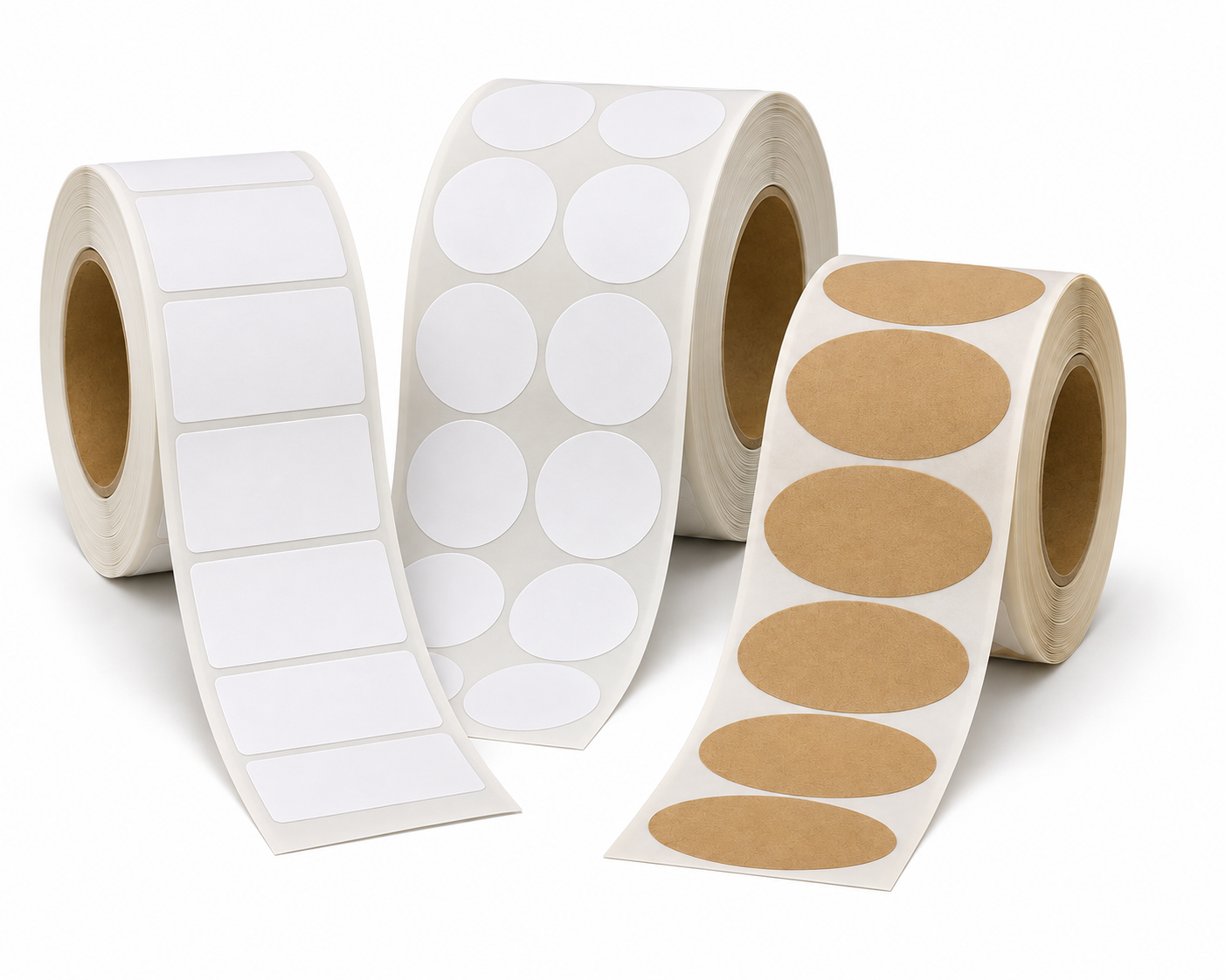
Print in-house with a compatible inkjet roll label printer. Compare paper and film materials, then match the label orientation, core size, outside roll diameter and media settings.
Shop Blank Inkjet Roll LabelsNeed labels printed for you? Explore custom printed roll labels.
Jump to: Measuring | 5 oz bottles | 8 oz bottles | 10 oz bottles | Materials | FAQs
What Size Label Do You Need for a Woozy Bottle?
Match the label's applied width and height to the bottle's actual label panel. The examples below use published measurements for specific 5 oz, 8 oz and 10 oz glass bottles. A 4 x 5 inch rectangle must be turned to 5 inches around x 4 inches high for the listed 8 oz example. A 3 x 5 inch rectangle must be turned to 5 inches around x 3 inches high for the listed 10 oz example. The same capacities in other bottle designs can have different panels.
How to Measure a Woozy Bottle for Labels
- Find the straight-sided panel. Measure the usable height between the shoulder and the curve near the base. Keep the label within that smooth area.
- Measure around the bottle. Wrap a paper strip around the intended label position, mark where it meets, and measure the strip flat.
- Choose your coverage. Decide whether you want a front panel, separate front and back labels, or a wider label. Allow for the gap or overlap in your design. Do not assume overlap alone will prevent peeling.
- Test a paper cutout. Cut your proposed label width and height from plain paper. Check the fit, seams, text size and placement before ordering labels.
Applied dimensions and roll-feed dimensions are different. In the fit tables, “around x high” means the width around the bottle followed by the height up its side. The stock label size is also shown so you can order the correct rectangle. Rotate your artwork when needed. For rolls, the product width runs across the roll and its length runs along the feed direction; confirm that orientation, printer width and applicator unwind direction before ordering.
Compare Woozy Bottle Label Sizes in Sheets and Inkjet Rolls
These are dimensional checks against the named reference bottles, not physical application tests or universal capacity-based fits. Each proposed label is shorter than the listed panel height and narrower than the reference full-wrap width or circumference. Test a paper cutout and adhesive sample on the exact bottle you buy. Other glass and plastic woozy designs can have smaller or differently shaped label areas.
5 oz Woozy Bottle Labels: Sheets and Inkjet Rolls
Reference bottle: The Cary Company lists a 5.8402-inch full-wrap width and a 3.297-inch label-panel height for its 30W5WZ glass bottle. View this bottle specification.
| Applied label size | Fit and orientation | Blank sheet labels | Blank inkjet roll labels |
|---|---|---|---|
| 4 inches around x 2 inches high Stock rectangle: 4 x 2 inches |
Partial wrap; 2-inch applied height is below the reference panel height. | Shop 4 x 2 Sheets | Shop 2 x 4 Inkjet Rolls
Roll feed: 2 inches across x 4 inches along. Rotate artwork as needed for the applied layout. |
| 4 inches around x 3 inches high Stock rectangle: 4 x 3 inches |
Partial wrap; 3-inch applied height is below the reference panel height. | Shop 4 x 3 Sheets | Shop 4 x 3 Inkjet Rolls
Roll feed: 4 inches across x 3 inches along. Rotate artwork as needed for the applied layout. |
8 oz Woozy Bottle Labels: Sheets and Inkjet Rolls
Reference bottle: Fillmore Container lists a 4.25-inch label-panel height and a 7-inch circumference for its C08-01C glass bottle. View this bottle specification.
| Applied label size | Fit and orientation | Blank sheet labels | Blank inkjet roll labels |
|---|---|---|---|
| 4 inches around x 3.33 inches high Stock rectangle: 4 x 3.33 inches |
Partial wrap; 3.33-inch applied height is below the reference panel height. | Shop 4 x 3.33 Sheets | Request This Size on Inkjet Rolls
Custom-size quote. This exact size is not listed with standard roll options on the linked size page. For a smaller stocked option, compare 4 x 3 inch inkjet rolls. |
| 5 inches around x 4 inches high Stock rectangle: 4 x 5 inches |
Rotate the 4 x 5 rectangle. Five inches high would exceed the 4.25-inch reference panel. | Shop 4 x 5 Sheets | Shop 4 x 5 Inkjet Rolls
Roll feed: 4 inches across x 5 inches along. Rotate artwork as needed for the applied layout. |
10 oz Woozy Bottle Labels: Sheets and Inkjet Rolls
Reference bottle: Fillmore Container lists a 3.75-inch label-panel height and a 7.5-inch circumference for its AA10-01C glass bottle. View this bottle specification.
| Applied label size | Fit and orientation | Blank sheet labels | Blank inkjet roll labels |
|---|---|---|---|
| 5 inches around x 3 inches high Stock rectangle: 3 x 5 inches |
Rotate the 3 x 5 rectangle. Five inches high would exceed the 3.75-inch reference panel. | Shop 3 x 5 Sheets | Shop 3 x 5 Inkjet Rolls
Roll feed: 3 inches across x 5 inches along. Rotate artwork as needed for the applied layout. |
| 4 inches around x 3.33 inches high Stock rectangle: 4 x 3.33 inches |
Partial wrap; 3.33-inch applied height is below the reference panel height. | Shop 4 x 3.33 Sheets | Request This Size on Inkjet Rolls
Custom-size quote. This exact size is not listed with standard roll options on the linked size page. For a smaller stocked option, compare 4 x 3 inch inkjet rolls. |
| 6 inches around x 2 inches high Stock rectangle: 6 x 2 inches |
Wider partial wrap; 2-inch applied height is below the reference panel height. | Shop 6 x 2 Sheets | Shop 6 x 2 Inkjet Rolls
Roll feed: 6 inches across x 2 inches along. Rotate artwork as needed for the applied layout. |
View sheet layouts and labels-per-sheet counts
These illustrations and counts apply to the sheet products. Roll formats have their own quantities and printer configurations.
| Bottle reference | Sheet layout | Stock rectangle | Labels per sheet |
|---|---|---|---|
| 5 oz example |  |
4 x 2 inches | 10 |
| 5 oz example | |
4 x 3 inches | 6 |
| 8 oz example |  |
4 x 3.33 inches | 6 |
| 8 oz example |  |
4 x 5 inches | 4 |
| 10 oz example |  |
3 x 5 inches | 4 |
| 10 oz example | |
4 x 3.33 inches | 6 |
| 10 oz example |  |
6 x 2 inches | 5 |
Choose a Material for Your Bottle and Printer
Choose the label size first, then compare the materials available for that product. Paper, film, finish and adhesive each affect the result. Availability varies by size and printing format.
| Material or finish | What to consider for woozy bottles |
|---|---|
| White uncoated, semi-gloss or gloss paper | Compare these for dry handling and the print appearance you want. Confirm inkjet or laser compatibility and test any expected splashes or rubbing. A gloss finish alone does not establish waterproof performance. |
| Brown kraft paper | Consider kraft for a natural packaging style. Check how your artwork prints on its brown background and test the material under your storage conditions. |
| Printer-compatible BOPP or polyester film | Consider a suitable film for bottles exposed to condensation, splashes or frequent handling. Test the printed label and adhesive together on the actual bottle. |
| Clear labels | Use clear for a design that lets the bottle and sauce show through. Check text contrast against the contents. Clear labels are not automatically waterproof. |
For refrigerated bottles, sauce residue or damp handling, review our waterproof and water-resistant label guide. Water resistance does not guarantee performance with every sauce formula, oil, cleaning method or storage condition. Test the complete label before committing to production.
Blank Sheets, Blank Rolls or Custom Printed Labels?
- Blank sheets: Print in-house with a compatible desktop inkjet or laser printer. These can suit small batches, changing recipes and multiple designs.
- Blank inkjet rolls: Print with a compatible roll-fed inkjet label printer. Match the material, label orientation, core size and outside roll diameter to the equipment. Compare blank inkjet roll options.
- Custom printed rolls: Supply your artwork for labels printed and ready to apply. Confirm the size, material and finish, plus the roll direction if you use an applicator. Explore custom printed roll labels.
For a broader overview, see our blank roll label guide.
Design and Print Sheets or Inkjet Rolls
Printing Blank Sheet Labels
Use the label template library to match the exact sheet layout, including label size, count, margins and spacing. Rotate the design if the stock rectangle needs a different applied orientation. Keep important artwork away from cut edges and follow the template's bleed guidance. Print a plain-paper test at 100% or actual size, with page-fitting turned off.
Printing Blank Inkjet Roll Labels
Set the stock label width and length in your compatible inkjet label printer's software. Width runs across the roll and length runs along the feed. Set the correct media sensing and gap, check the printable area, and rotate the artwork to produce the around-bottle orientation shown above. Match the core and outside roll diameter to your printer. If an applicator applies the labels, confirm the label direction and unwind requirements too.
Print a small test batch on either format and check fit, alignment, readability and adhesion on the actual bottle before a production run.
Test Application Before a Larger Order
Apply samples to clean, dry bottles within the material supplier's recommended application conditions. Keep labels off curved shoulders and bases, press them down evenly, and follow the adhesive's guidance for bonding time. Evaluate edge lift, rubbing, sauce contact and condensation under the conditions your finished bottles will encounter.
For help comparing materials or a different size or shape, contact us with your bottle measurements and request samples. You can also compare related uses in our hot sauce bottle labels and bottle labels guide. For a broader size comparison, see the Hot Sauce Bottle Label Size Guide.
Frequently Asked Questions About Woozy Bottle Labels
What is a woozy bottle label?
A woozy bottle label is a product label sized for the straight-sided body of a narrow-neck bottle commonly used for hot sauce and other condiments. You can use a front label, separate front and back labels, or a wider label that extends around the bottle. Woozy names the bottle style, so these same blank labels can also be used for hot sauce when their size, material and adhesive suit the bottle.
What size label fits a 5 oz woozy bottle?
For the Cary 30W5WZ glass reference bottle, 4 inches around x 2 inches high and 4 inches around x 3 inches high are both within its published 5.8402-inch full-wrap width and 3.297-inch panel height. Other 5 oz bottles can have different panels, so test the fit on the exact bottle before ordering.
Do 8 oz and 10 oz woozy bottles use the same label size?
Some sizes may work on more than one bottle capacity, but bottles with the same capacity can also have different dimensions. Check the label height, circumference, seams and curvature on each bottle design instead of choosing by ounces alone.
Which way should 4 x 5 and 3 x 5 labels go on woozy bottles?
For the listed 8 oz Fillmore reference bottle, turn the 4 x 5 rectangle to 5 inches around x 4 inches high. For the listed 10 oz Fillmore reference bottle, turn the 3 x 5 rectangle to 5 inches around x 3 inches high. A 5-inch applied height exceeds both reference panel heights. Rotate the artwork as needed and confirm the separate roll-feed orientation for your printer or applicator.
Should I use a front label or a wraparound label?
Choose a front label for a compact brand and product panel. Separate front and back labels can divide branding from product details. A wider label offers more continuous design space, but its width must suit the bottle circumference and the gap or overlap you intend to use. Test the layout on your actual bottle.
Can I print woozy bottle labels with an inkjet or laser printer?
Yes. Choose sheet labels specifically compatible with your desktop inkjet or laser printer, and use the matching sheet template. Blank inkjet rolls require a compatible roll-fed inkjet label printer and the correct media settings, core size and outside roll diameter.
Can I buy blank inkjet roll labels for woozy bottles?
Yes. The size tables include direct links to blank inkjet rolls as well as blank sheets. The linked stocked roll rectangles include 2 x 4, 4 x 3, 4 x 5, 3 x 5 and 6 x 2 inches. For 4 x 3.33 inches, use the custom blank roll label quote link or compare a smaller stocked size. Confirm material, core size, outside diameter and feed direction for your inkjet roll printer.
Which label material should I test for refrigerated hot sauce bottles?
Test a printer-compatible film such as an appropriate BOPP or polyester product, including its printed surface and adhesive, under the conditions your bottles will encounter. Moisture resistance does not guarantee resistance to every sauce, oil or storage condition. Clear labels are not automatically waterproof.
Why do woozy bottle label edges lift?
Edge lift can result from surface residue, application onto shoulders or base curves, a label material that is too stiff for the bottle, or an unsuitable adhesive. Apply labels to clean, dry bottles within the material supplier's recommended application conditions, then test adhesion on the actual bottle.
Do you have templates for woozy bottle labels?
Use the label template library to find the layout that matches the exact sheet product, including its dimensions, labels per sheet, margins and spacing. Print a plain-paper test at 100% or actual size and check alignment before printing on label sheets.
Can I order custom printed woozy bottle labels?
Yes. Custom printed roll labels are available using your artwork. Confirm the finished size, material, finish and application requirements before ordering. If you use an applicator, also confirm the roll configuration and label direction.
Find Labels for Your Woozy Bottles
Compare the linked sizes above, confirm the fit with a paper test, and choose the printing format that suits your production.
Shop Blank Sheet Labels Shop Blank Inkjet Roll Labels
Prefer labels printed for you? Explore custom printed roll labels.