What Size Label Fits a Vape Bottle? Complete Size Guide for E-Liquid & CBD Bottles

What Size Label Fits a Vape Bottle?

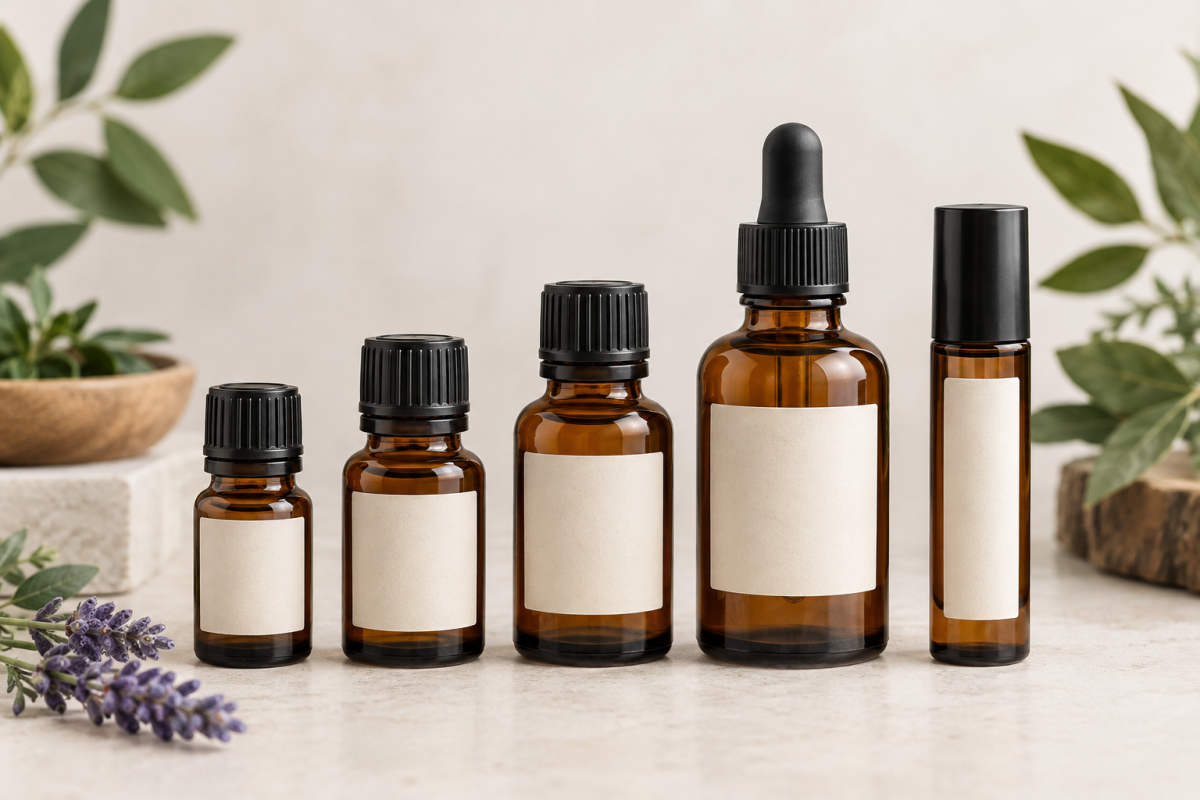
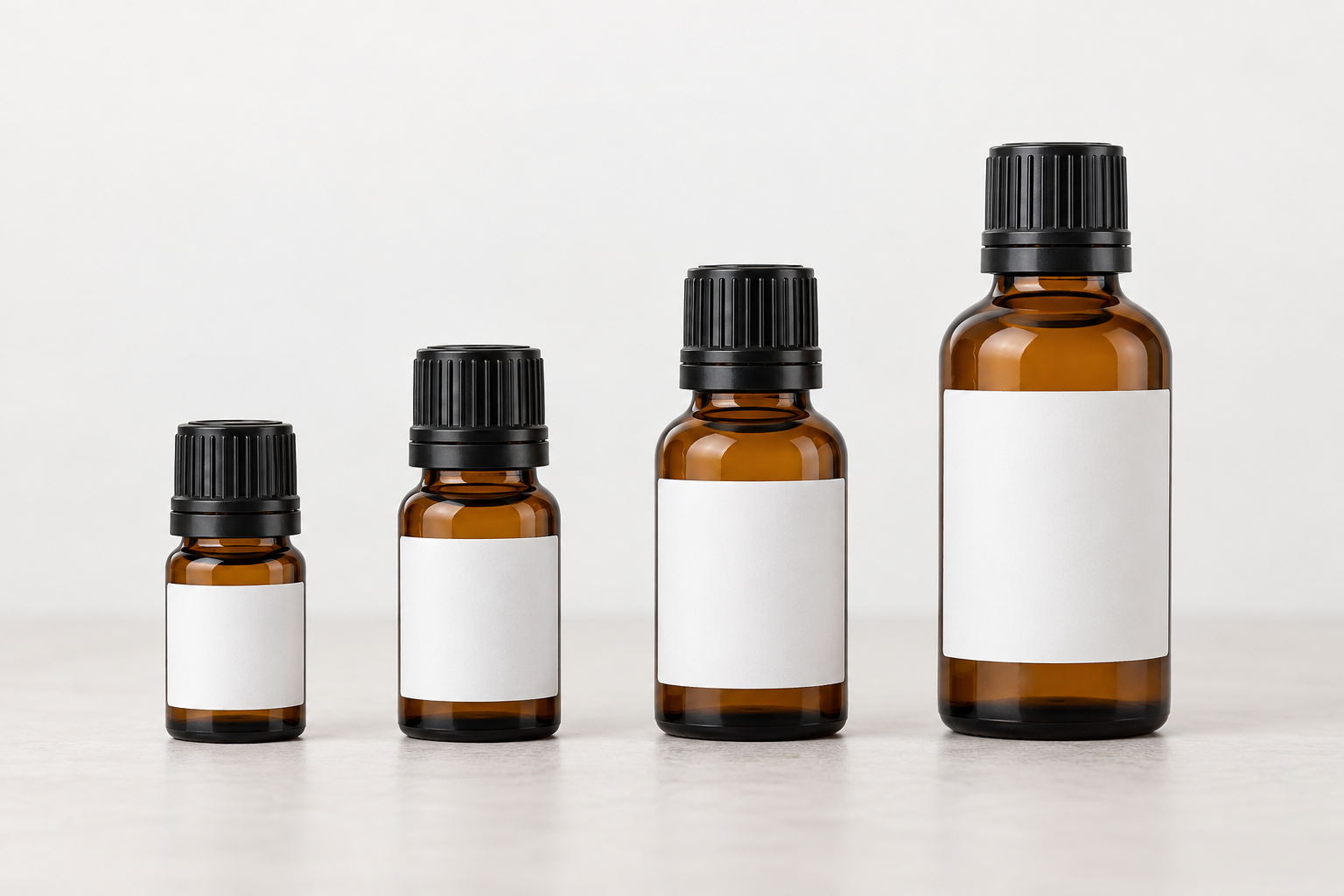
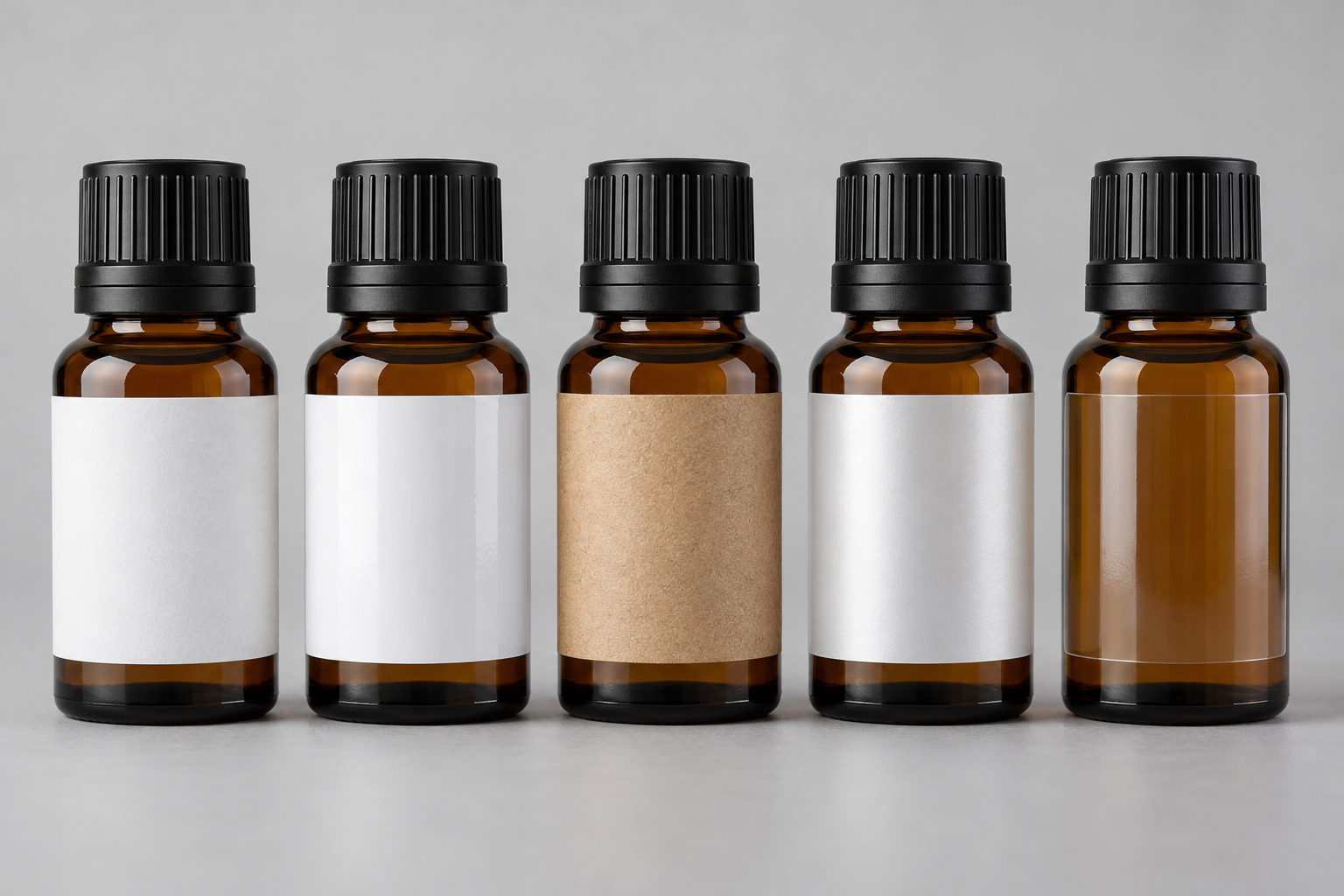
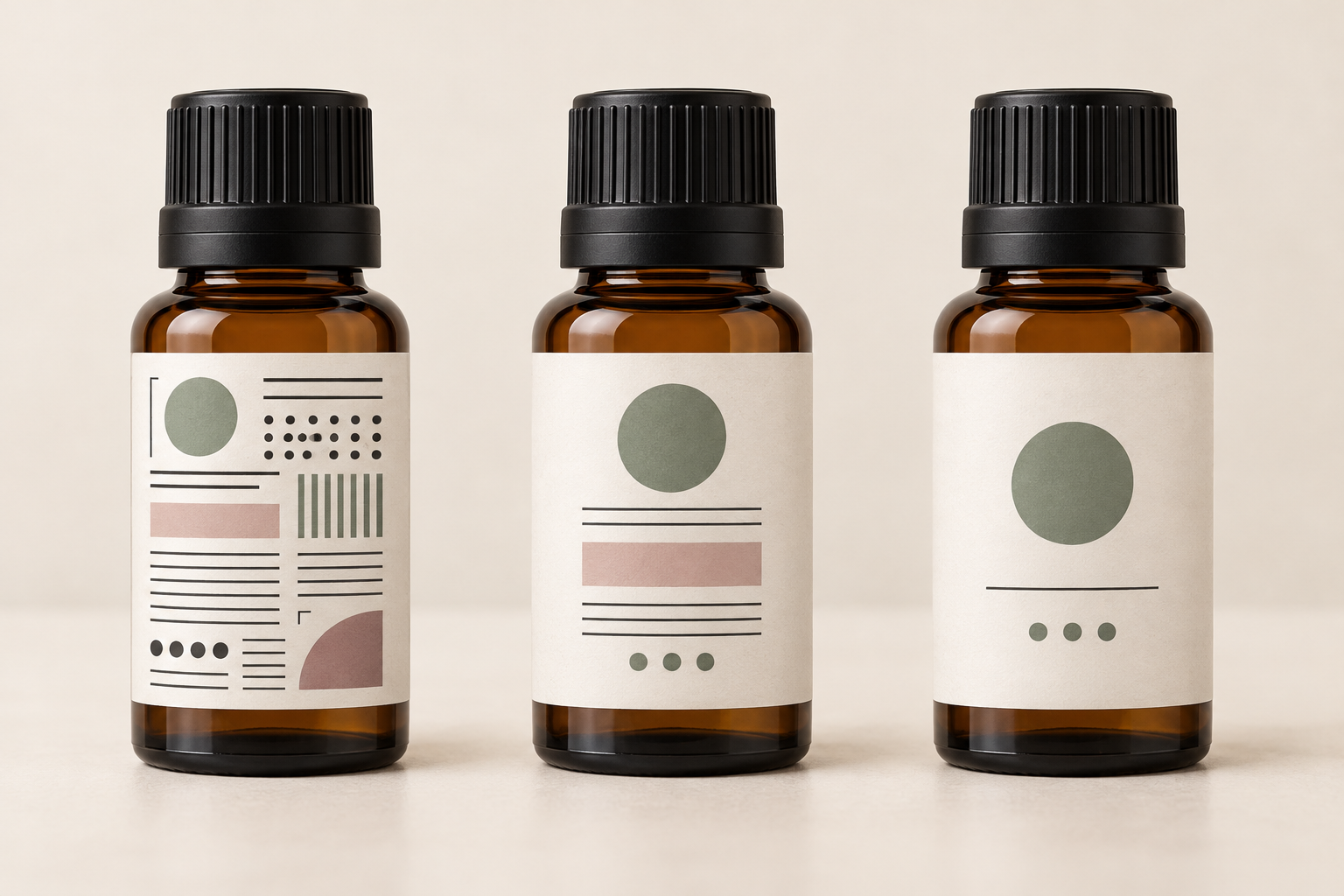
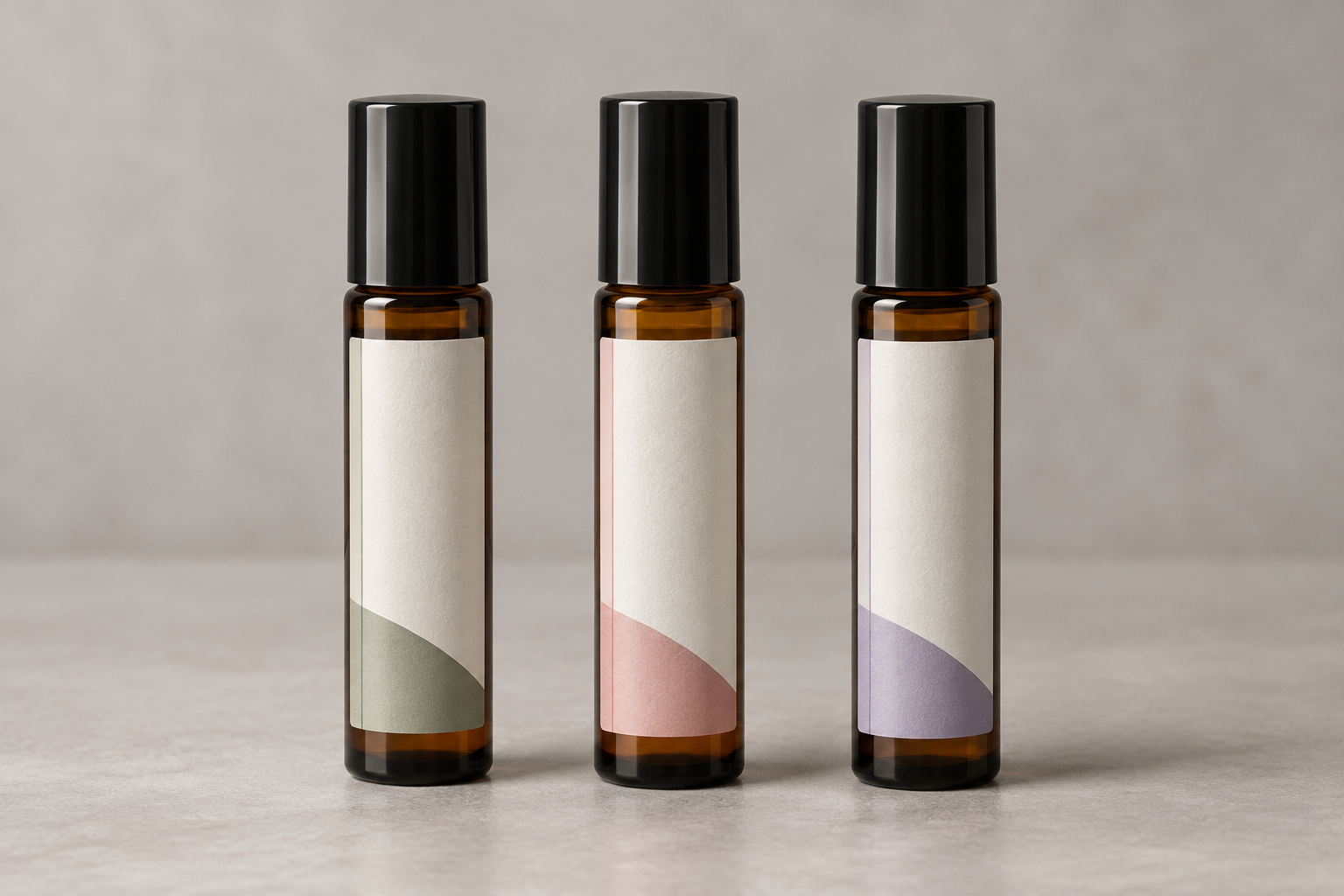
Vape bottle label size guide showing recommended labels for 10 ml, 15 ml, 30 ml, 60 ml, 100 ml and 120 ml bottles

Choosing the correct vape bottle label size helps your packaging look professional, keeps important information readable and reduces problems such as wrinkling, lifting or excessive overlap. The best size depends on the bottle’s diameter, height, shape and available smooth labeling area.

This guide provides starting recommendations for common 10 ml, 15 ml, 30 ml, 60 ml, 100 ml and 120 ml vape bottles. It also explains how to measure the actual container, compare label materials and choose between blank sheet labels, roll labels and professionally printed labels.

Important: Always Measure Your Actual Bottle

Vape bottles from different manufacturers can have different diameters, shoulders, caps and usable labeling areas even when they hold the same number of milliliters. Treat the sizes in this guide as starting points and test a paper mockup or label sample on the exact bottle you plan to use.

Quick Navigation

Quick Answer: Recommended Vape Bottle Label Sizes

The following dimensions are common starting points for straight-sided vape and e-liquid bottles. The correct label may be smaller if the bottle has tapered shoulders, pronounced curves, ridges or limited space beneath the cap.

Bottle Capacity Suggested Starting Size Common Label Style Typical Use
10 ml Approximately 1.5″ × 2″ Small front label or partial wrap Sample bottles, flavor testing and compact e-liquid containers
15 ml Approximately 1.75″ × 2.25″ Front label or partial wrap Small dropper bottles and compact retail packaging
30 ml Approximately 2″ × 3″ Front label, partial wrap or front-and-back set Nicotine salts, CBD oils and standard small e-liquid bottles
60 ml Approximately 2.5″ × 4″ Large front label or partial wrap Common retail vape juice and short-fill bottles
100 ml Approximately 3″ × 5″ Partial wrap or large front label Large-capacity e-liquid and short-fill bottles
120 ml Approximately 3″ × 6″ Partial wrap or extended front label Large retail bottles requiring more branding and information space

For additional bottle-specific recommendations, visit our vape bottle label size guide.

Recommended Label Sizes by Vape Bottle Capacity

10 ml Vape Bottle Labels

A 10 ml vape bottle has limited labeling space, so the label must communicate the most important information without overwhelming the container. A label near 1.5″ × 2″ may work as a small front panel or partial wrap on many straight-sided bottles.

Prioritize the brand name, flavor or variety, capacity and the most important required information. Additional details may need to appear on a small back label, outer carton or accompanying package.

15 ml Vape Bottle Labels

Many 15 ml bottles provide slightly more width and height than 10 ml containers. A starting size near 1.75″ × 2.25″ may offer enough room for a product name, flavor, logo, volume and basic directions.

Because many 15 ml bottles narrow near the shoulder, measure only the straight-sided area beneath the shoulder and above the base curve.

30 ml Vape Bottle Labels

The 30 ml bottle is common for nicotine salts, CBD oils and other concentrated products. A 2″ × 3″ rectangle is a practical starting point for many 30 ml containers, but bottle style matters.

A wide chubby gorilla bottle may support a broader wrap, while a narrow glass dropper bottle may require a smaller front label or a tall, narrow rectangle. Do not select a size based on capacity alone.

60 ml Vape Bottle Labels

A 60 ml container generally provides enough surface area for more detailed branding. A label near 2.5″ × 4″ may work well as a large front panel or partial wrap on many bottles.

This size can provide room for the brand, flavor, product description, volume, warnings, manufacturer information, ingredients, barcode and QR code. Review all applicable regulations before finalizing artwork.

100 ml Vape Bottle Labels

Large 100 ml bottles often use labels around 3″ × 5″, depending on the usable circumference and height. This format provides more design flexibility but should still avoid the bottle’s shoulder and lower curve.

Test how the artwork looks when the bottle is viewed from the front. A wide label may wrap farther around the sides than expected, moving important text away from the primary viewing area.

120 ml Vape Bottle Labels

A starting size near 3″ × 6″ may be suitable for many 120 ml bottles. However, long labels require careful application because even a small alignment error becomes more noticeable as the label wraps around the container.

A shorter partial-wrap label may sometimes produce a cleaner result than attempting a nearly complete wrap.

How to Measure a Vape Bottle for a Label

Accurate measurement is more important than the stated bottle capacity. Two bottles can both hold 60 ml while having different diameters, heights and usable labeling areas.

Five-Step Measuring Method

  1. Identify the smooth, straight-sided area. Do not include the cap, shoulder, neck, lower curve, ridges or recessed areas.
  2. Measure the usable label height. Leave a small margin above and below the proposed label.
  3. Measure the circumference. Wrap a flexible measuring tape or strip of paper around the bottle’s straight-sided section.
  4. Decide how much of the bottle to cover. Choose a front label, partial wrap, nearly full wrap or separate front-and-back labels.
  5. Create a paper mockup. Cut plain paper to the proposed dimensions and tape it temporarily to the bottle.

How to Measure the Bottle Circumference

Wrap a flexible tape measure around the bottle at the location where the label will be applied. If you do not have a flexible tape, wrap a narrow strip of paper around the bottle, mark where the ends meet and measure the paper with a ruler.

For a partial-wrap label, select a width smaller than the full circumference. Leaving an uncovered gap can make application easier and prevent the label edges from overlapping.

How Much Uncovered Space Should You Leave?

There is no single required gap, but leaving approximately 1/8″ to 1/4″ of uncovered space between the ends of a wrap label can make placement more forgiving. Bottles with severe curves may require a larger uncovered area.

Test with an Actual Label Sample

A paper mockup confirms general size, but an actual sample confirms adhesive performance, flexibility, print quality and resistance to handling. Test the proposed material on a clean bottle under normal filling, storage and shipping conditions.

Front Labels, Wrap Labels or Front-and-Back Labels?

Front Labels

A front label covers only the main viewing area. It is easy to apply and keeps the bottle visible, but provides limited room for ingredients, warnings and other information.

Partial-Wrap Labels

A partial-wrap label covers most of the bottle without meeting at the back. It provides more printable space while reducing the risk of overlap.

Front-and-Back Labels

Separate labels allow the front to focus on branding while the back displays ingredients, warnings, directions, barcodes and manufacturer details.

Nearly Full-Wrap Labels

A wide label offers maximum space but requires accurate measuring and application. Leave a small gap to avoid overlap unless the packaging is specifically designed for it.

Best Label Materials for Vape Bottles

Vape and e-liquid bottles may be exposed to oils, moisture, frequent handling, temperature changes and product residue. Material choice should reflect the actual storage and use conditions.

Material Appearance Best Environment Important Consideration
White Matte Clean, non-reflective and easy to read Dry indoor packaging Paper material is not intended for significant moisture exposure
White Gloss Smooth and polished with vibrant colors Retail bottles stored in dry conditions Confirm printer compatibility before ordering
Clear Minimal no-label appearance Clear glass or plastic bottles Clear materials are not automatically waterproof
Kraft Natural and handcrafted Dry specialty or artisan packaging Paper kraft labels should be kept away from moisture and product residue
Synthetic Poly Durable and professional Moisture-prone and frequently handled bottles Printed ink durability depends on the material, printer and ink system

Learn more about durable materials on our waterproof and water-resistant labels page.

Test for Oils and Product Residue

A material that performs well against water may react differently to oils, flavoring ingredients or e-liquid residue. Test the printed label with the actual filled product before committing to a larger quantity.

Should You Use Sheet Labels or Roll Labels?

Both formats can produce professional vape bottle labels. The best choice depends on your printer, production volume, number of designs and application method.

Feature Sheet Labels Roll Labels
Best volume Small batches and multiple designs Regular and higher-volume production
Printer Compatible desktop laser or inkjet printer Compatible Epson, Primera or Afinia inkjet roll-label printer
Application Usually applied by hand Applied by hand, dispenser or compatible applicator
Design changes Convenient for short runs and frequent changes Efficient for recurring production and variable data
Initial investment Lower if a suitable desktop printer is already available Requires a dedicated compatible roll-label printer

Printing Vape Bottle Labels

Desktop Inkjet Printing

Desktop inkjet printers are useful for colorful short runs, prototypes and businesses producing several flavor varieties. Use materials specifically designed for inkjet printing and allow printed sheets to dry before handling or application.

Desktop Laser Printing

Laser printers produce crisp text, barcodes and graphics with toner. Use laser-compatible sheet labels designed to withstand the heat and pressure of the fusing process.

Inkjet Roll-Label Printers

Compatible Epson ColorWorks, Primera and Afinia printers can print pre-cut roll labels in sequence. This format is useful for regular production, multiple SKUs, barcodes, lot numbers and variable product information.

Before ordering, confirm the required label width, direction, core size, maximum outside roll diameter and sensing method. Visit our inkjet roll-label printer compatibility guide for additional information.

Professionally Printed Labels

Custom printed labels are supplied ready to apply and eliminate the need to purchase a printer, maintain ink inventory or dedicate staff time to production. They may be the better option for established designs and recurring production runs.

What Information Should Appear on a Vape Bottle Label?

The information required on a vape or e-liquid bottle may vary by product type, ingredients, jurisdiction, distribution channel and applicable regulations. Verify current requirements with the appropriate regulatory authority or qualified adviser.

Common label elements may include:

  • Brand and product name
  • Flavor or variety
  • Net contents
  • Ingredient statement
  • Nicotine concentration or other relevant product information
  • Applicable warnings
  • Manufacturer or distributor information
  • Lot, batch or production code
  • Barcode or SKU
  • QR code
  • Website or customer-service information
  • Storage or handling instructions

Keep critical text away from rounded corners, edges and the portion of the label that wraps farthest around the back of the bottle.

Common Vape Bottle Label Mistakes

Mistake Possible Result Better Approach
Choosing by capacity alone The recommended size may not fit a differently shaped bottle Measure the actual container
Covering the bottle shoulder Wrinkles, bubbles or lifting edges Keep the label within the straight-sided area
Making a wrap label too wide Edges overlap or important information moves out of view Leave a small uncovered gap
Using incompatible material Smearing, poor toner adhesion or feeding problems Match the label material to the printer technology
Applying labels to oily bottles Reduced adhesive contact and lifting Clean and dry the bottle before application
Skipping product testing Unexpected reactions to oils, residue or storage conditions Test the complete printed label with the actual filled product

Vape Bottle Label Buying Guide

Step 1: Identify the Bottle

Record the bottle capacity, material, diameter, circumference, usable height and shape. Note whether it has straight sides, tapered shoulders or molded ridges.

Step 2: Choose the Label Style

Decide whether you need a front label, front-and-back set, partial wrap or nearly full wrap. Consider how much information must fit on the bottle.

Step 3: Select the Material

Choose a material based on moisture, oil exposure, handling, storage temperature, desired finish and printer compatibility.

Step 4: Select Sheets, Rolls or Custom Printing

Use sheet labels for smaller batches and desktop printing, roll labels for dedicated label printers and recurring production, or professionally printed labels when you want finished labels supplied ready to apply.

Step 5: Test Before Ordering

Print a paper mockup, request samples and test the proposed material on the actual bottle. Confirm the label fits, adheres properly and remains readable after filling, storage and handling.

Explore Vape Bottle Labels

Compare blank sheet labels, blank roll labels, materials and custom printed options for vape bottles, e-liquid packaging and related containers.

Shop and Learn About Vape Bottle Labels

Frequently Asked Questions About Vape Bottle Label Sizes

What size label fits a 30 ml vape bottle?

A 2″ × 3″ rectangle is a common starting point for many 30 ml vape bottles. Measure the actual bottle because glass dropper bottles, cylindrical bottles and chubby gorilla bottles can have different usable labeling areas.

What size label fits a 60 ml vape bottle?

A label near 2.5″ × 4″ may fit many 60 ml bottles as a large front panel or partial wrap. The correct size depends on the bottle circumference, shoulder and available straight-sided height.

What size label fits a 100 ml vape bottle?

A 3″ × 5″ label is a useful starting point for many 100 ml bottles. Test a paper mockup because some bottles are wider, shorter or more tapered than others.

Should a vape bottle label wrap completely around the bottle?

Not necessarily. A partial-wrap label is often easier to apply and leaves a small gap between the label ends. A full or nearly full wrap provides more space but requires more precise measuring and alignment.

What material is best for vape bottle labels?

White matte and gloss paper can work well in dry conditions. Synthetic materials are often a better choice for bottles exposed to moisture, oils, residue or frequent handling. Test the material with the actual product.

Are clear vape bottle labels waterproof?

Not automatically. Clear refers to the appearance of the material, not its resistance to water. Review the specific material construction and test the printed label under actual use conditions.

Can I print vape bottle labels with a desktop printer?

Yes. Blank sheet labels are available for compatible desktop inkjet and laser printers. Make sure the label material is designed for the printer technology you use.

Can I print vape bottle labels on rolls?

Yes. Blank roll labels are available for many compatible Epson ColorWorks, Primera and Afinia inkjet roll-label printers. Verify the required width, direction, core size and maximum roll diameter before ordering.

Can vape bottle labels include barcodes and QR codes?

Yes. Leave enough blank space around the code, use strong contrast and test scanning on the curved bottle before production.

Can I request samples before ordering?

Yes. Sample testing is strongly recommended to confirm label size, print compatibility, adhesion and resistance to moisture, oil or product residue.

Find the Right Labels for Your Vape Bottles

Choose blank sheet labels, blank roll labels or custom printed labels for vape bottles, e-liquid containers, CBD oils and related product packaging.

Shop Sheet Labels Shop Roll Labels Custom Printed Labels

Related Vape Label Resources

Back to Top

What Size Label Fits a Beer Bottle? Complete Guide to Beer Bottle Label Sizes

labels for beer bottles guide

Whether you’re labeling a few bottles of homebrew or producing thousands of craft beer bottles each week, choosing the correct label size is one of the easiest ways to give your product a professional appearance. A label that is too small can make the bottle look unfinished, while one that’s too large may wrinkle around curves, overlap seams, or interfere with caps and necks. Since beer bottles come in many different shapes and sizes, there isn’t a single label size that works for every application. This guide compares the most popular beer bottle styles, recommended label sizes, measuring techniques, material options, and printing methods to help you select the best label for your bottles.


Quick Start Guide

Looking for a quick recommendation?

  • Standard 12 oz Longneck Bottles
    Front Label: 3″ × 4″ or 3.5″ × 4″
    Neck Label: 1″ × 3″
  • Stubby Bottles
    Front Label: 3″ × 3″ or 3.5″ × 3.75″
  • 22 oz Bomber Bottles
    Front Label: 4″ × 5″ or 4″ × 6″
  • Belgian Bottles
    Front Label: 3.5″ × 5″ or 4″ × 5″
  • Growlers
    Front Label: 5″ × 6″ or 5″ × 7″

Always measure the smooth usable area of your bottle before ordering labels. Different bottle manufacturers often produce bottles with slightly different diameters and straight-wall heights.


At-a-Glance Recommendations

Bottle TypeMost Popular Label SizeCommon Shape
12 oz Longneck3″ × 4″Rectangle
Stubby Bottle3″ × 3″Square
22 oz Bomber4″ × 5″Rectangle
Belgian Bottle3.5″ × 5″Rectangle
Growler5″ × 6″Rectangle
Neck Labels1″ × 3″Rectangle
Bottle Caps1″ CircleCircle

Quick Answer

If you have…Recommended Label
Standard 12 oz beer bottle3″ × 4″
Short craft bottle3″ × 3″
Large bomber bottle4″ × 5″ or 4″ × 6″
Belgian bottle3.5″ × 5″
Growler5″ × 6″
Neck label1″ × 3″

Why Label Size Matters

A professionally designed label deserves to fit the bottle correctly. Proper sizing improves appearance, makes application easier, and helps important information remain readable. A correctly sized label also allows enough room for your brewery logo, beer style, alcohol content, government warnings, UPC barcode, QR code, ingredients, tasting notes, and branding without crowding the design. For breweries producing multiple beers, selecting consistent label proportions also creates a recognizable product line across different styles and bottle sizes.


Labels for Standard 12 oz Longneck Beer Bottles

Standard 12 ounce longneck beer bottle with professionally printed labelThe traditional 12-ounce longneck bottle remains the most common beer package in North America. It provides a generous straight panel for front branding while leaving room for optional neck and back labels. For most breweries and home brewers, a 3″ × 4″ label offers the best balance between appearance and usable print space. Excellent for craft beer Home brewing IPA bottles Lagers Stouts Ales Recommended Sizes 3″ × 4″ Labels 3.5″ × 4″ Labels 4″ × 4″ Labels

Labels for Stubby Beer Bottles

Short stubby beer bottle with square printed labelStubby bottles feature a shorter body with less vertical label space than longneck bottles. Square labels often complement the proportions of these bottles and create a balanced appearance. Many craft breweries use slightly smaller front labels while emphasizing bold graphics and typography. Recommended Sizes 3″ × 3″ Labels 3″ × 4″ Labels

Labels for 22 oz Bomber Bottles

22 ounce bomber beer bottle with large printed labelBomber bottles provide significantly more printable area than standard beer bottles. Their taller straight sides allow breweries to incorporate larger logos, illustrations, tasting notes, brewery history, pairing suggestions, and detailed product information. Many premium craft beers use oversized labels to maximize shelf impact. Recommended Sizes 4″ × 5″ Labels 4″ × 6″ Labels 5″ × 5″ Labels

Labels for Belgian Beer Bottles

Belgian style beer bottle with premium rectangular labelBelgian-style bottles are typically taller with elegant shoulders that benefit from vertically oriented labels. These bottles are popular for Belgian ales, saisons, farmhouse beers, specialty releases, and premium craft beverages. A taller label emphasizes the bottle’s shape while providing ample room for artwork and brewery branding. Recommended Sizes 3.5″ × 5″ Labels 4″ × 5″ Labels 4″ × 6″ Labels


Labels for Beer Growlers

Glass beer growler with large professionally printed product labelBeer growlers provide one of the largest printable surfaces of any beer container. Whether you package fresh draft beer, limited seasonal releases, or brewery-exclusive products, a large front label creates an impressive retail presentation while leaving room for detailed product information. Growlers are commonly used by craft breweries, brewpubs, taprooms, cider producers, kombucha companies, cold brew coffee producers, and refill stations. Popular Label Sizes 5″ × 6″ Labels 5″ × 7″ Labels 5″ × 8″ Labels

How to Measure a Beer Bottle for Labels

Diagram showing how to measure a beer bottle for labels

Beer bottles that appear identical often have slightly different body diameters, shoulder curves, and straight-wall heights depending on the manufacturer. Because of this, measuring your actual bottle is always recommended before purchasing labels.

Step 1 — Measure the Flat Label Panel

Measure only the straight portion of the bottle body where the label will be applied. Avoid measuring into the curved shoulder or lower heel of the bottle.

Step 2 — Measure the Circumference

Wrap a flexible tape measure around the bottle or use a strip of paper to determine the bottle circumference. Rather than wrapping the label completely around the bottle, leave approximately 1/8″–1/4″ of exposed glass to help prevent label overlap.

Step 3 — Check Curved Areas

Beer bottles become more curved near the shoulder and base. Keeping the label inside the straight portion reduces wrinkles and improves adhesion.

Step 4 — Print a Paper Sample

Before ordering labels, print your chosen template on ordinary paper, cut it out, and tape it to the bottle. This simple test confirms that the proportions and appearance are exactly what you want.


Front Labels, Back Labels & Neck Labels

labels from front, back and neck of beer bottles

Many commercial breweries divide information across multiple labels instead of placing everything on a single front panel.

Label PositionTypical Contents
Front LabelBrand name, beer style, artwork, logo, alcohol content, volume
Back LabelGovernment warning, UPC barcode, ingredients, brewery information, tasting notes
Neck LabelSeasonal branding, awards, limited release, promotional messaging
Bottle CapBeer style, logo or brewery initials

Using multiple labels creates a cleaner design while giving customers easier access to important product information.


Beer Bottle Neck Labels

Beer bottle with professionally printed neck labelNeck labels add a premium appearance and immediately attract attention on retail shelves. They’re commonly used for seasonal beers, limited editions, award-winning brews, and specialty releases. Most breweries choose a narrow rectangular label that wraps around the neck without extending onto the bottle shoulder. Popular Sizes 1″ × 3″ 1.25″ × 2.625″ 1″ × 4″

Beer Bottle Cap Labels

Beer bottle cap with printed round labelRound labels designed for bottle caps provide a simple way to identify beer styles while adding another branding opportunity. Many breweries print IPA, Stout, Porter, Lager, Pilsner, Saison, or seasonal names directly on the cap label. Bottle cap labels also work well for home brewers organizing multiple recipes. Popular Sizes 1″ Round

Choosing the Best Label Material

label materials to use on beer bottles

Beer bottles experience refrigeration, condensation, transportation, and frequent handling. Choosing the proper label material is just as important as selecting the correct size.

MaterialBest For
White MatteHome brewers, short runs, handwriting, economical labels
Gloss WhiteBright retail graphics and vibrant colors
Semi-GlossGeneral purpose brewery packaging
Clear LabelsPremium “printed directly on glass” appearance
Brown KraftRustic craft breweries and vintage branding
Waterproof FilmIce buckets, refrigerated bottles and moisture exposure

Waterproof Beer Bottle Labels

Condensation is one of the biggest challenges for beer bottle labels. Traditional paper labels perform well for many applications, but bottles stored in coolers, refrigerators, or ice buckets often benefit from waterproof synthetic label materials. These films resist moisture while maintaining excellent print quality and adhesion.

Waterproof labels are especially popular for:

  • Craft breweries
  • Cold storage
  • Outdoor events
  • Restaurant service
  • Beverage distributors
  • Wedding favors
  • Home brewing competitions

Clear Beer Bottle Labels

Clear labels create one of the most premium appearances available. When printed correctly, the transparent material allows portions of the bottle to remain visible, creating the impression that graphics have been printed directly onto the glass. This style has become increasingly popular among modern craft breweries.


Sheet Labels vs. Roll Labels

the difference between sheet labels and roll labels
Sheet LabelsRoll Labels
Perfect for home brewers Laser & inkjet compatible Lower quantities Economical Easy storageBest for production Epson ColorWorks Primera printers Afinia printers Automatic applicators

If you’re producing fewer than several hundred bottles at a time, sheet labels often provide the most economical solution. Commercial breweries printing thousands of labels generally prefer roll labels for their faster printing and easier application.


Common Mistakes When Choosing Beer Bottle Labels

  1. Choosing labels based only on bottle capacity.
  2. Not measuring the straight label panel.
  3. Wrapping labels too far around the bottle.
  4. Ignoring condensation and moisture.
  5. Using the wrong material for the printer.
  6. Not testing a printed paper sample first.
  7. Using artwork with insufficient bleed.
  8. Choosing labels that interfere with neck curvature.

Buying Guide

When selecting beer bottle labels, consider the bottle size, label placement, printing method, storage conditions, and production volume. Home brewers generally benefit from sheet labels printed on desktop laser or inkjet printers because they allow economical short runs and frequent design changes. Growing breweries often transition to roll labels for Epson ColorWorks, Primera, or Afinia printers because they increase production speed while maintaining professional print quality. If your beer will be refrigerated, displayed in coolers, or submerged in ice, waterproof label materials provide the greatest durability. Premium craft breweries often choose clear labels or high-gloss white materials to maximize shelf appeal. Finally, always measure your actual bottle, print a paper sample, and verify the fit before ordering larger quantities.


Frequently Asked Questions About Beer Bottle Labels

What is the most common beer bottle label size?

For standard 12-ounce longneck bottles, the most popular size is 3″ × 4″. This size provides plenty of room for branding while fitting comfortably within the bottle’s straight label panel.


Should beer bottle labels wrap completely around the bottle?

Generally, no. Leaving approximately 1/8″ to 1/4″ of exposed glass helps prevent labels from overlapping, lifting, or wrinkling after application.


Are waterproof labels necessary for beer bottles?

If bottles will be refrigerated, stored in coolers, or placed in ice buckets, waterproof labels provide the best durability and appearance. Standard paper labels work well for many indoor applications but may soften when exposed to moisture.


Can I print beer bottle labels with my inkjet printer?

Yes. Blank sheet labels designed for inkjet printers allow you to produce professional beer bottle labels from your desktop printer. Make sure you select a material compatible with your printer.


What’s the difference between sheet labels and roll labels?

Sheet labels are ideal for home brewers and smaller production runs, while roll labels are better suited for commercial printing, Epson ColorWorks, Primera, Afinia printers, and automatic applicators.


How do I measure a beer bottle for labels?

Measure only the straight section of the bottle where the label will sit. Avoid measuring into the shoulder or base curves and always test with a paper sample before ordering.


Can clear labels be used on beer bottles?

Absolutely. Clear labels create a premium “printed directly on the glass” appearance and are especially popular among craft breweries.


Which material is best for homebrew labels?

White matte labels remain one of the most popular choices because they print beautifully on desktop inkjet and laser printers while offering excellent value.


What size label works best on growlers?

Most breweries choose labels between 5″ × 6″ and 5″ × 7″, depending on the growler diameter and available printable area.


Can I use removable labels on beer bottles?

Yes. Removable adhesives work well when bottles will be reused or returned. Permanent adhesives are recommended for retail sales.


Should I use separate front and back labels?

Many breweries place branding on the front label and move ingredients, government warnings, UPC barcodes, and tasting notes to a smaller back label for a cleaner appearance.


Can I print variable information on each label?

Yes. Desktop inkjet and laser printers make it easy to print different beer names, batch numbers, seasonal artwork, or QR codes without ordering preprinted labels.


Do I need neck labels?

Neck labels are optional but add shelf appeal and are commonly used for seasonal releases, limited editions, medals, and promotional messaging.


What is the best label shape for beer bottles?

Rectangular labels remain the most popular because they maximize printable space, although oval and circular labels are frequently used for specialty craft beers.


Can beer bottle labels be applied by hand?

Yes. Sheet labels and roll labels can both be applied manually. Larger breweries often use automatic label applicators for higher production volumes.


Will waterproof labels survive ice buckets?

Quality waterproof film labels are specifically designed to withstand condensation, refrigeration, and ice buckets while maintaining excellent adhesion.


Should I test my design before ordering?

Always print your design on ordinary paper and tape it to the bottle first. This simple step helps verify size, appearance, and artwork placement.


Where can I buy blank beer bottle labels?

LaserInkjetLabels.com offers blank sheet labels, blank roll labels, waterproof materials, clear labels, and custom printed labels for beer bottles in a wide variety of sizes and materials.


Related Articles


Shop Blank Beer Bottle Labels

Whether you’re labeling a few bottles of homebrew or producing thousands of craft beers every week, LaserInkjetLabels.com offers blank sheet labels, roll labels, waterproof materials, clear labels, and custom printed labels to fit virtually every beer bottle on the market.

Shop Blank Labels Shop Roll Labels Shop Waterproof Labels

Can You Use Laser Labels in an Inkjet Printer? Find Out!

Curious if you can use laser labels in an inkjet printer? Discover the surprising compatibility of these two printing technologies and make your labeling tasks easier!

Understanding Laser Labels vs. Inkjet Labels

When it comes to labeling your products, packages, or personal items, the type of label you choose can make a significant difference. Laser labels and inkjet labels are the two primary types available in the market, and understanding their distinctions can help you make an informed choice.

Laser labels are specifically designed for use with laser printers. These labels are typically made from materials that can withstand the high heat generated by laser printers during the printing process. Laser printers use a laser beam to produce an image on a drum, which is then transferred onto the paper using toner. The toner, a powder, is fused onto the paper with heat and pressure, resulting in a durable and smudge-resistant print.

Inkjet labels, on the other hand, are formulated for use with inkjet printers. These printers work by spraying microscopic droplets of liquid ink onto the paper to create an image. The inkjet labels are usually coated to absorb the ink quickly, preventing smudging and ensuring sharp, vivid print quality. Inkjet labels are typically not designed to withstand the heat of a laser printer, which can lead to melting or warping.

Understanding the specific needs of your printer and the labels designed for it is crucial to achieving the best print quality and maintaining the longevity of your equipment. Using the wrong type of label can result in poor print quality, printer damage, or both. Therefore, it is essential to match your labels to the appropriate printer technology.

How Inkjet Printers Work

To grasp the compatibility of laser labels with inkjet printers, it is essential to understand how inkjet printers work. Inkjet printers are popular for their versatility, affordability, and ability to produce high-quality prints with vivid colors and sharp details.

Inkjet printers use a printing technology that involves spraying tiny droplets of liquid ink onto the paper. The print head, which contains multiple nozzles, moves back and forth across the paper, depositing ink droplets in a precise pattern to form text and images. These droplets are incredibly small, typically measured in picoliters, allowing for detailed and accurate prints.

The ink used in inkjet printers is usually water-based and can be either dye-based or pigment-based. Dye-based inks are known for their vibrant colors and smooth gradients, making them ideal for photo printing. Pigment-based inks, on the other hand, are more durable and resistant to fading, making them suitable for documents and labels that require longevity.

Inkjet printers come in various types, including single-function printers, all-in-one printers, and photo printers. They are widely used in homes, offices, and businesses due to their ability to handle a wide range of media types, including plain paper, glossy photo paper, and specialized labels. However, the compatibility of these printers with different types of labels, such as laser labels, requires careful consideration due to the differences in printing technology.

The Compatibility of Laser Labels with Inkjet Printers

The question of whether you can use laser labels in an inkjet printer is a common one, and the answer is not as straightforward as a simple yes or no. The compatibility of laser labels with inkjet printers depends on several factors, including the label material, the printer’s capabilities, and the specific printing requirements.

Laser labels are designed to withstand the high heat and pressure of laser printers. These labels are often made from materials like polyester, vinyl, or other heat-resistant substances. While these materials can be durable and produce excellent results in laser printers, they may not be optimized for the liquid ink used in inkjet printers. The coating on laser labels is typically not designed to absorb ink, which can lead to smudging, poor print quality, or slow drying times when used with inkjet printers.

In some cases, manufacturers produce multi-purpose labels that are compatible with both laser and inkjet printers. These labels are specially coated to handle the different printing technologies and provide acceptable results with either type of printer. However, it is essential to check the label packaging or product specifications to ensure they are suitable for use with your inkjet printer.

It is also worth noting that while some inkjet printers may handle laser labels without significant issues, others may struggle with feeding the thicker or more rigid materials through the printer. This can result in paper jams, misfeeds, or damage to the printer components. Therefore, it is crucial to test a small batch of labels before committing to a large print job to ensure compatibility and avoid potential printer damage.

Risks of Using Laser Labels in Inkjet Printers

While the idea of using laser labels in an inkjet printer may seem convenient, it comes with several risks that could affect both your printing quality and the longevity of your printer. Understanding these risks can help you make an informed decision and avoid potential problems.

One of the primary risks of using laser labels in an inkjet printer is poor print quality. Laser labels are not typically coated to absorb ink, which can result in smudging, bleeding, or uneven ink distribution. This can lead to illegible text, blurry images, and an overall unprofessional appearance. Additionally, the ink may take longer to dry on laser labels, increasing the risk of smudging or transferring when handled.

Another significant risk is the potential for printer damage. Inkjet printers are designed to handle specific types of media, and using materials not intended for inkjet printing can cause mechanical issues. Laser labels are often thicker and more rigid than inkjet labels, which can lead to paper jams, misfeeds, or damage to the printer’s feed mechanism. In some cases, the adhesive used on laser labels may not be compatible with inkjet printers, causing labels to peel off inside the printer and create sticky residue that can affect future print jobs.

Using laser labels in an inkjet printer can also void your printer’s warranty. Manufacturers typically specify the types of media that are compatible with their printers, and using non-recommended materials can be considered misuse. If your printer encounters issues due to the use of laser labels, the manufacturer may refuse to honor the warranty, leaving you responsible for repair or replacement costs.

Benefits of Using the Right Labels for Your Printer

Using the appropriate labels for your printer offers several benefits that can enhance your printing experience and ensure the best possible results. By matching the labels to your printer’s technology, you can achieve optimal print quality, maintain the longevity of your printer, and avoid potential issues.

One of the most significant benefits of using the right labels is the superior print quality. Inkjet labels are specifically designed to absorb ink quickly and evenly, resulting in sharp, vibrant prints with crisp text and clear images. This is particularly important for labels that need to convey important information, such as shipping labels, product labels, or barcode labels. By using labels designed for your inkjet printer, you can ensure that your prints are legible and professional-looking.

Another benefit is the reduced risk of printer damage. Inkjet labels are formulated to work seamlessly with the feeding mechanism of inkjet printers, minimizing the chances of paper jams, misfeeds, or other mechanical issues. This helps maintain the smooth operation of your printer and reduces the likelihood of costly repairs or downtime. Additionally, using the correct labels ensures that the adhesive is compatible with your printer, preventing residue buildup that can affect future print jobs.

Using the right labels can also extend the life of your printer. Printers that consistently handle compatible media are less likely to experience wear and tear on their components. This can result in fewer maintenance issues and a longer lifespan for your printer. By investing in the appropriate labels, you can protect your printer investment and enjoy reliable performance for years to come.

Tips for Printing on Laser Labels with Inkjet Printers

If you find yourself in a situation where you need to use laser labels with an inkjet printer, there are several tips you can follow to achieve the best possible results. While this is not the ideal scenario, these strategies can help mitigate some of the risks and improve print quality.

First, consider testing a small batch of labels before committing to a large print job. This allows you to assess how well the ink adheres to the label surface and whether there are any issues with smudging or drying times. Adjust your printer settings to optimize print quality, such as selecting a higher print resolution or adjusting the ink density. This can help improve the appearance of your prints and reduce the likelihood of smudging.

Second, allow ample drying time for the printed labels. Since laser labels are not designed to absorb ink quickly, the ink may take longer to dry compared to inkjet labels. After printing, place the labels in a well-ventilated area and avoid stacking them until the ink is fully dry. This can help prevent smudging and ensure that the labels are ready for use.

Another tip is to handle the labels carefully to avoid smudging or transferring the ink. Use clean, dry hands when handling the labels, and avoid touching the printed areas as much as possible. If you need to apply the labels to products or packages, wait until the ink is completely dry to prevent any transfer of ink.

Finally, consider using a spray fixative to protect the printed labels. A light coating of fixative can help seal the ink and reduce the risk of smudging. Be sure to test the fixative on a small batch of labels first to ensure it does not affect the print quality or adhesive properties of the labels.

Alternatives to Laser Labels for Inkjet Printing

While it is possible to use laser labels in an inkjet printer with some adjustments, there are better alternatives available that are specifically designed for inkjet printing. Exploring these options can help you achieve superior print quality and avoid the risks associated with using incompatible labels.

One of the most straightforward alternatives is to use inkjet labels. These labels are designed to work seamlessly with inkjet printers, providing excellent print quality and quick drying times. Inkjet labels come in various sizes, shapes, and materials, making it easy to find the perfect match for your labeling needs. Whether you need glossy photo labels, matte address labels, or weather-resistant labels, there is an inkjet label option available.

Another alternative is to use multi-purpose labels that are compatible with both laser and inkjet printers. These labels are coated to handle the different printing technologies, providing acceptable results with either type of printer. Multi-purpose labels can be a convenient option if you have both laser and inkjet printers and want to use the same labels for different printing tasks. However, it is important to check the label packaging or product specifications to ensure they are suitable for your specific printer model.

For specialized labeling needs, consider using label materials that are designed for specific applications. For example, if you need durable labels for outdoor use, look for weather-resistant inkjet labels made from materials like polyester or vinyl. These labels are designed to withstand exposure to moisture, UV light, and other environmental factors, ensuring that your labels remain legible and intact.

By exploring these alternatives, you can find the right labels for your inkjet printer and avoid the potential issues associated with using laser labels. Investing in compatible labels can help you achieve the best possible results and maintain the longevity of your printer.

Customer Experiences and Testimonials

Hearing from customers who have experimented with using laser labels in inkjet printers can provide valuable insights and help you make an informed decision. While individual experiences may vary, these testimonials can highlight common challenges and potential solutions.

One customer, Sarah, shared her experience of using laser labels in her inkjet printer for a small batch of address labels. She found that the print quality was initially acceptable, but the ink smudged easily when handled. To mitigate this issue, Sarah allowed the labels to dry for several hours before using them. While this approach worked for her short-term project, she ultimately decided to switch to inkjet labels for future printing tasks to avoid the drying time and potential smudging.

Another customer, Mark, attempted to use laser labels in his inkjet printer for product labeling. He encountered issues with the labels feeding through the printer, resulting in frequent paper jams and misfeeds. After several frustrating attempts, Mark realized that the thicker material of the laser labels was not compatible with his inkjet printer’s feeding mechanism. He switched to inkjet-compatible labels and noticed an immediate improvement in print quality and printer performance.

On the other hand, Lisa, a small business owner, successfully used multi-purpose labels with both her laser and inkjet printers. She appreciated the convenience of using a single type of label for different printing tasks and found that the multi-purpose labels provided satisfactory results with both printer types. Lisa’s experience highlights the potential benefits of using labels specifically designed for compatibility with multiple printing technologies.

These customer experiences underscore the importance of using the right labels for your printer and the potential challenges of using incompatible materials. While some customers found temporary workarounds, the overall consensus is that using inkjet-compatible labels provides the best results and minimizes potential issues.

Frequently Asked Questions about Labels and Printers

To further clarify the topic of using laser labels in inkjet printers, here are some frequently asked questions and their answers:

Can I use laser labels in an inkjet printer?

While it is possible to use laser labels in an inkjet printer, it is not recommended due to potential issues with print quality, drying times, and printer compatibility. Inkjet labels are specifically designed for use with inkjet printers and provide better results.

What happens if I use the wrong type of label in my printer?

Using the wrong type of label can result in poor print quality, smudging, paper jams, and potential printer damage. It is essential to use labels that are compatible with your printer’s technology to achieve the best results and avoid issues.

Are there labels that work with both laser and inkjet printers?

Yes, there are multi-purpose labels that are designed to be compatible with both laser and inkjet printers. These labels are coated to handle different printing technologies and provide acceptable results with either type of printer.

How can I improve print quality when using laser labels in an inkjet printer?

If you need to use laser labels in an inkjet printer, consider testing a small batch first, adjusting printer settings for higher resolution, allowing ample drying time, and handling the labels carefully to avoid smudging. Using a spray fixative can also help protect the printed labels.

What are the benefits of using inkjet labels with an inkjet printer?

Using inkjet labels with an inkjet printer ensures superior print quality, reduces the risk of printer damage, and extends the life of your printer. Inkjet labels are designed to absorb ink quickly and evenly, resulting in sharp, vibrant prints with minimal drying time.

Can using the wrong labels void my printer’s warranty?

Yes, using labels that are not recommended by the printer manufacturer can void your printer’s warranty. Manufacturers specify compatible media types, and using incompatible materials can be considered misuse, leading to warranty denial.

What should I do if my printer jams when using laser labels?

If your printer jams when using laser labels, stop the print job and carefully remove the jammed labels. Switch to inkjet-compatible labels to prevent future jams and ensure smooth printer operation. If the problem persists, consult your printer’s user manual or contact the manufacturer for assistance.

Conclusion: Making the Right Choice for Your Printing Needs

In conclusion, while it is technically possible to use laser labels in an inkjet printer, it is not the ideal solution due to potential issues with print quality, drying times, and printer compatibility. Laser labels are designed for the high heat and pressure of laser printers, whereas inkjet labels are formulated to work seamlessly with the liquid ink used in inkjet printers. By using the correct labels for your printer, you can achieve superior print quality, maintain the longevity of your printer, and avoid potential problems.

When selecting labels for your printing needs, consider the specific requirements of your printer and the type of labels best suited for your tasks. Inkjet labels provide the best results for inkjet printers, offering sharp, vibrant prints with quick drying times. Multi-purpose labels can be a convenient option if you use both laser and inkjet printers, but it is essential to ensure they are compatible with your printer model.

Customer experiences and testimonials highlight the challenges and potential solutions associated with using laser labels in inkjet printers. While some customers found temporary workarounds, the overall consensus is that using inkjet-compatible labels provides the best results.

By making informed choices and investing in the right labels for your printer, you can achieve professional-looking prints, protect your printer investment, and enjoy reliable performance for all your labeling tasks.

How to Use PNG Label Templates with Canva

Creating professional-looking labels does not require advanced design software. With Canva and PNG label templates from LaserInkjetLabels.com, you can quickly design labels for products, shipping, packaging, branding, and more without needing graphic design experience.

PNG templates are especially useful because they give you a visual guide showing exactly where each label is located on the sheet. You can add text, logos, colors, images, QR codes, and other design elements directly on top of the template before printing.

What Is a PNG Label Template?

A PNG label template is an image file that shows the exact layout of the labels on a sheet. Each label position is outlined so you can align your design elements correctly.

Unlike Word or PDF templates, PNG files work especially well in Canva because you can simply upload the image and use it as a design guide. This makes it easy to create custom labels while ensuring everything lines up properly when printed. You can download templates for any of our sizes here: Templates Page

PNG templates are useful for:

  • Product labels
  • Shipping labels
  • Candle labels
  • Cosmetic labels
  • Food packaging labels
  • QR code labels
  • Barcode labels
  • Thank you stickers
  • Return address labels
  • Promotional labels

Step 1: Download the Correct PNG Template

Start by downloading the PNG template that matches the exact label size you are using. Even small differences in label size can affect print alignment, so it is important to use the correct template for your specific sheet.

For example, if you are printing on a 2″ x 4″ label sheet, make sure you download the 2″ x 4″ PNG template rather than a similar size.

Step 2: Open Canva and Create a New Design

Go to Canva and create a new custom design.

For most full-sheet label templates, you will want to use a custom size of:

  • 8.5 inches wide
  • 11 inches tall

This matches the size of a standard sheet of labels.

If Canva asks for dimensions in pixels instead of inches, you can switch the units to inches before creating the design.

Step 3: Upload the PNG Template

Once your blank Canva design is open, upload the PNG template file to Canva.

After uploading the template:

  1. Drag the PNG file onto the blank canvas
  2. Resize it so it fills the entire 8.5″ x 11″ page
  3. Make sure it is aligned exactly to the edges of the page
  4. Lock the PNG template in place so it does not move while you design

Locking the template is helpful because it prevents accidental shifting while adding text and graphics.

Step 4: Add Your Design Elements

Now you can start designing your labels directly on top of the template.

You can add:

  • Logos
  • Product names
  • Ingredients
  • Scents or flavors
  • Pricing
  • Barcodes
  • QR codes
  • Website URLs
  • Social media icons
  • Decorative graphics
  • Background colors or shapes

When designing, keep important text and graphics slightly inside the edges of each label. This helps avoid cutting off information during printing.

For best results, leave a small “safe zone” around the outer edge of every label.

Step 5: Duplicate Your Design Across the Sheet

Once you create the first label, you can copy and paste the design onto the other label positions shown on the PNG template.

Canva makes it easy to duplicate elements and align them consistently across the sheet.

If every label on the page is identical, this process is very fast. If you need variable information, such as different product names or scents, you can customize each label individually.

Step 6: Hide or Remove the Template Before Printing

Before downloading your finished design, you should hide or remove the PNG template layer.

The template is only meant to help with placement and should not appear in the final printed version.

Once the template is hidden:

  1. Download the design as a PDF Print file for best print quality
  2. Open the file and print at 100% scale
  3. Make sure “Fit to Page” is turned off in your printer settings

Printing at actual size is important so the labels line up correctly on the sheet.

Final Tips for Better Label Alignment

To get the best results when printing labels from Canva:

  • Always use the correct label template size
  • Print a test page on plain paper first
  • Hold the test sheet over your label sheet to verify alignment
  • Keep important text away from the label edges
  • Print at 100% scale with no page resizing
  • Use high-resolution logos and images for sharper printing

Using PNG label templates with Canva is one of the easiest ways to create custom labels for business, product packaging, shipping, and organization. With the right template and a few minutes of setup, you can create professional-looking labels that print accurately and consistently.

Roll Label Printing vs Sheet Label Printing

Roll label printing and sheet label printing are two popular methods used for creating labels. Both methods have their own advantages and disadvantages, making them suitable for different applications. Roll label printing involves printing labels on a continuous roll of material, which can be cut into individual labels as needed. This method is ideal for large volume production runs, as it allows for efficient printing and cutting of large quantities of labels

.roll labels and sheets labels

Additionally, roll labels tend to be more durable than sheet labels, making them suitable for labeling products that may be exposed to harsh conditions. Sheet label printing involves printing individual labels on a sheet of material that is then cut into separate labels. This method is ideal for smaller production runs or when multiple designs are needed on the same sheet.

Sheet labels are also often used in office settings for labeling files, folders, and other documents.

Roll label printing and sheet label printing are two of the most commonly used methods for producing labels. While both methods result in high-quality labels, there are some key differences between the two. Roll label printing involves printing labels on a continuous roll of material. This method is ideal for large-scale production runs, as it allows for faster printing speeds and reduced set-up time.

Roll labels are also easier to apply with automated labeling machines, making them popular in industries such as food and beverage, pharmaceuticals, and logistics. Sheet label printing involves printing individual labels on pre-cut sheets of material. This method is ideal for smaller production runs or custom jobs that require variable data or designs. Sheet labels can be easily handled and stored, making them popular in office environments or for small businesses.

Ultimately, the choice between roll label printing and sheet label printing will depend on factors such as the quantity of labels needed, the complexity of the design, and the intended application.

Roll label printing offers several advantages. Firstly, it is a more efficient method for large-scale printing, as it allows for faster print speeds and reduced downtime between jobs. Secondly, roll labels are easier to apply to products, as they can be easily dispensed using a label applicator or dispenser. Finally, roll labels take up less storage space and are easier to transport than sheet labels.

However, there are also some disadvantages to roll label printing. One of the main drawbacks is that it requires specialized equipment and machinery to print and apply the labels. Additionally, roll labels can be more expensive per unit than sheet labels for smaller print runs. On the other hand, sheet label printing has its own set of advantages. It is more cost-effective for smaller print runs and does not require specialized equipment or machinery.

Where to Find Quality Labels Without Breaking the Bank

Labels are an essential part of the operations of both small and large businesses. Having a good labeling system can provide peace of mind while conducting everyday operations. A quality well-printed label can promote the branding of a product, while increasing sales for that specific product.

Most consumer products are also identified by the product labels. It is therefore, worthwhile to invest in quality labels, especially those that are super affordable. For customers looking to find quality and affordable labels for their projects, businesses, or facilities, here are some of the ways in which our company will offer competitive pricing and a quality product in the industry.

We Offer High-Quality Labels

 Our labels are of the highest standard with outstanding quality that provides our customers with confidence in our product. Our labels are made with care so that they will adhere to the surface of almost any product. With a quality print and colors that stands out, customers can be confident that their labels are built to last.

Our Selection Contains A Large Variety of Labels

We also have a variety of these labels for purchase, including labels for home or office DIY projects, production facilities or even small businesses. Whether customers need labels that can easily be peeled off, or those that last months to years, we have a selection to match any need.

For customers interested in sheet labels, we have a selection for both inkjet and laser printing. If a customer is setting up a home-based business and is looking to print a few labels each week to grow the business, a sheet label for inkjet printing would be a great investment. With these labels, customers can even experiment with the colors and designs to achieve a desired print of label for their marketing and logo needs, as well as return address labels.

Similarly, customers who have large facilities in which products are prepared for shipping to different parts of the country, would benefit from quality laser-printed sheet labels. With these sheet labels, customers with large business can have their products labeled efficiently and shipped timely to meet the demand for their products.

Customers can also obtain inkjet and laser roll labels for projects such as barcodes and shipping labels. For those customers looking to have specific custom labels printed, we can have those ready to apply to products. Customers can also have their labels printed with our state-of-the-art printers, that produce striking and radiant print.

Our Website is Easy to Use

Customers that prefer to place their orders online can take advantage of our website, which is designed with the customer’s needs in mind. They can order their labels online and have them delivered in a timely manner. Our website is built to ensure that customers can easily navigate and enjoy the experience of buying their labels online.

We Have A Large Capacity to Manufacture Labels

Our label company also has the capacity to print custom label sizes and shapes for customers with custom ideas and projects. Our custom label size capabilities mean that customers can work with us to ensure that they obtain the best quality labels to meet their desired outcome. Whether customers have very large or small products to label, our company can make any amount of labels to meet our client’s demands.

We Are Experts in the Label Industry

We have tremendous expertise and experience in manufacturing labels, making us a leading expert in the field. Customers can trust us with their projects and have confidence in the quality of labels we can provide them. Our team is well-trained and has expertise in various label projects to guarantee customer satisfaction.

Our Labels Can Be Used for Any and All Products

We have served many clients and business of all sizes, ranging from home businesses to shipping departments, as well as manufacturing facilities. We have worked with businesses such as vape shops, independent coffee and tea manufacturers, candle and soap makers, and wineries and breweries.

Our customers can vouch for the quality of label products we have offered. Additionally, many of our clients require a higher quality label. For example, breweries and wineries require labels for wine and beer bottles, distillation supplies, and signage around their premises.

Clients may need to have custom-made beer bottles with unique shapes, as well as color schemes that can successfully promote the branding of the beer. The label on a beer must also adhere to the bottle throughout fluctuations of warm or cool temperatures and must be waterproof to prevent peeling off from the bottle when left to chill in ice. Similarly, labels on wine bottles must not peel off during shipping and staging at the location of sale.

For labels such as those used on tea or coffee products, these labels must also be durable enough that the colors in the label print do not fade even when stored on store shelves for extended periods of time. This also goes for products such as candles and soap. Customers in stores also tend to buy these products based on how much they can connect with the products, and a lot of this has to do with the label packaging.

For many shipping departments and production facilities, quality of labels greatly matters. A lot of the logistics in these fields rely on labels that adhere strongly to shipping material such as boxes, crates, and plastic. Additionally, if barcodes are printed on these labels, it should be easy to scan the barcodes in a fast and efficient way.

Our labels are also made of durable material that can withstand the changes in temperature and handling during the shipping process. Customers can be assured that their valuable products or goods will not get lost during transit.

Our Label Products are Affordable

Our labels are also affordable for the average customer and will probably fit in the budget for most customers’ projects. While our company strives to provide customers with good quality products, we also want to ensure that customers do not exceed their budgets. Customers will find that the quality of the products they receive will be worth the cost.

For customers interested in high-quality, efficient labels online, come explore our website. It might be the next step in getting started on that DIY branding project, or a start to your own business.

End Of Article